---
title: Smart Classroom Planning Guide for Indian Schools
description: A practical smart classroom planning guide for Indian schools covering readiness, technology, budgets, teacher adoption, and implementation.
image: https://www.c3itxperts.com/hubfs/smart-classroom-planning-hero.jpg
---
[.png?width=1322&height=350&name=C3ITXperts-logo-R%20(1).png "C3ITXperts-logo-R (1)")](https://www.c3itxperts.com/)
- Education
- [Solutions](https://www.c3itxperts.com/education-solutions)
- [Classroom Tech](https://www.c3itxperts.com/classroom-tech)
- [IT Infrastructure](https://www.c3itxperts.com/it-infrastructure)
- [Computer Lab](https://www.c3itxperts.com/computer-lab)
- AI & STEM
- [Hybrid Classrooms](https://www.c3itxperts.com/hybrid-classrooms)
- [Virtual Classrooms](https://www.c3itxperts.com/virtual-classrooms)
- [Services](https://www.c3itxperts.com/services)
- [EdTech Consulting](https://www.c3itxperts.com/edtech-consulting)
- [Smart Classroom Consulting](https://www.c3itxperts.com/smart-classroom-consulting)
- [Professional Development Training](https://www.c3itxperts.com/professional-development-training)
- [Tech Stack Audit](https://www.c3itxperts.com/tech-stack-audit)
- Products
- [Interactive Displays](https://www.c3itxperts.com/interactive-displays)
- [Viewsonic Interactive Flat Panels](https://www.c3itxperts.com/products/interactive-flat-panels/viewsonic-panels)
- [Digital AV Podiums](https://www.c3itxperts.com/digital-av-podiums)
- [Pro-Audio for Seminar Halls](https://www.c3itxperts.com/pro-audio-for-seminar-halls)
- [Lecture Capturing Devices](https://www.c3itxperts.com/lecture-capturing-devices)
- [Digital Signages](https://www.c3itxperts.com/digital-signages)
- Business
- Solutions
- [Meeting Room](https://www.c3itxperts.com/meeting-room)
- [Video Conferencing](https://www.c3itxperts.com/video-conference)
- [Board Room](https://www.c3itxperts.com/board-room)
- [Experience Centre](https://www.c3itxperts.com/experience-centre)
- [Reception / Lounge - AV](https://www.c3itxperts.com/reception/lounge)
- Services
- [Audio Visual Consulting](https://www.c3itxperts.com/audio-visual-consulting)
- [Audio Visual Integration](https://www.c3itxperts.com/audio-visual-integration)
- [AV Designing & Programming](https://www.c3itxperts.com/av-designing-and-programming)
- [About C3](https://www.c3itxperts.com/about-page)
- [Knowledge Base](https://www.c3itxperts.com/knowledgebase)
- [Blog](https://www.c3itxperts.com/blog)
- Search Search
Search
# Smart Classroom Planning Guide for Indian Schools
-  July 23, 2026

[Manoj](https://www.c3itxperts.com/blog/author/manoj)
⚡ Quick Executive Summary
Planning a smart classroom rollout for your school? This guide by EdTech consultant **Manoj Sundaram** outlines the 6-stage C3 Planning Framework: defining academic goals, auditing current tech readiness, streamlining teacher workflows (Google/Microsoft), running a 4-to-6 week in-classroom pilot, calculating complete project budgets beyond panel hardware, and executing 90-day teacher adoption programs.
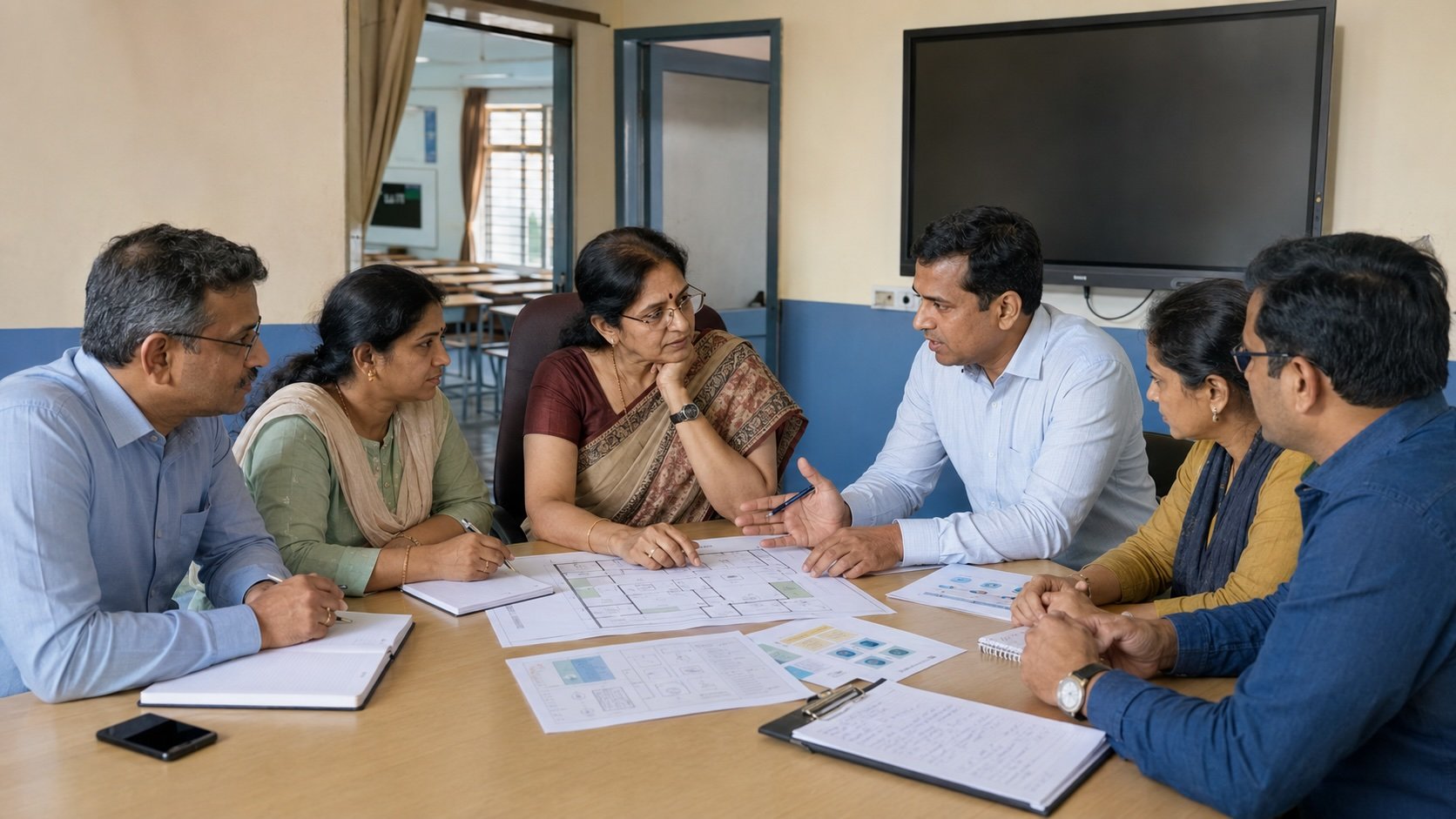
I can often tell how a smart classroom project may go from the first ten minutes of the meeting.
The first question is usually:
“What is the price of a 75-inch panel?”
Sometimes it is:
“Can you give it to us on EMI?”
Both are fair questions.
But they are being asked too early.
Before discussing the panel, I want to understand what the school wants to change.
Are teachers finding it hard to explain abstract ideas?
Are students only watching and listening?
Does lesson preparation take too much time?
Are teachers using several apps to complete one lesson?
Does the school want better assessment and feedback?
Or does it mainly want modern classrooms to show parents?
The answer changes the project.
If the school cannot name the problem, even the best interactive flat panel can become an expensive display.
I have seen that happen.
The panel is installed.
Everyone is excited.
Videos look good on the large screen.
For a few weeks, the project feels like a success.
Then the novelty fades.
Teachers begin using the panel for PowerPoint and YouTube.
Some return to the green board.
The blackboard has simply become a brighter blackboard.
That is the gap this smart classroom planning guide will help schools avoid.
---
## **What is smart classroom planning?**
Smart classroom planning is the process of deciding how technology will support teaching before the school selects products or asks for quotations.
It connects six parts of the project:
1. The learning goal
2. The present classroom problem
3. The teacher’s workflow
4. The technology and infrastructure
5. The complete project budget
6. Teacher adoption and review
The interactive flat panel is only one part of this plan.
A digital classroom has technology.
A smart classroom has a teaching system.
That system should help teachers prepare lessons, present content, explain ideas, check understanding, share work, and review what students have learned.
If these steps are not connected, the school may have modern equipment without a smarter classroom.
A school should plan the teaching workflow, classroom readiness, infrastructure, budget, teacher development,t and adoption process before selecting smart classroom hardware.
[A complete Guide to choose Best Interactive Displays for Schools in India](https://www.c3itxperts.com/blog/best-interactive-displays-for-schools-in-india)
---
## **About this guide**
This guide is based on my work with Indian schools as an education technology consultant.
Over the years, I have taken part in classroom audits, pilot programmes, technology selection, infrastructure planning, teacher professional development and post-installation adoption reviews.
The examples in this guide come from those assignments. Some schools have been kept anonymous to protect their internal information.
This is not a comparison of one interactive flat panel brand against another.
It is a planning guide for school leaders who want technology to become part of everyday teaching.
## **Why this planning matters for Indian schools**
Two schools may buy the same interactive flat panel.
One may use it every day.
The other may use it mainly for videos, presentations, and inspection days.
The difference is often not the panel.
It is the system around it.
Indian schools also work under very different conditions.
A classroom may have 25 students or more than 60.
Wi-Fi may work well near the office but fail inside some classrooms.
One school may have a full IT team.
In another, a teacher may also be handling technical support.
Some teachers may already work with Google Workspace for Education or Microsoft 365. Others may be moving from a green board to a digital teaching platform for the first time.
That is why copying another school’s specification sheet is risky.
The same equipment does not create the same result in every school.
A good plan must consider the classroom, teacher, infrastructure, budget, and support system together.
---
## **The C3 Smart Classroom Planning Framework**
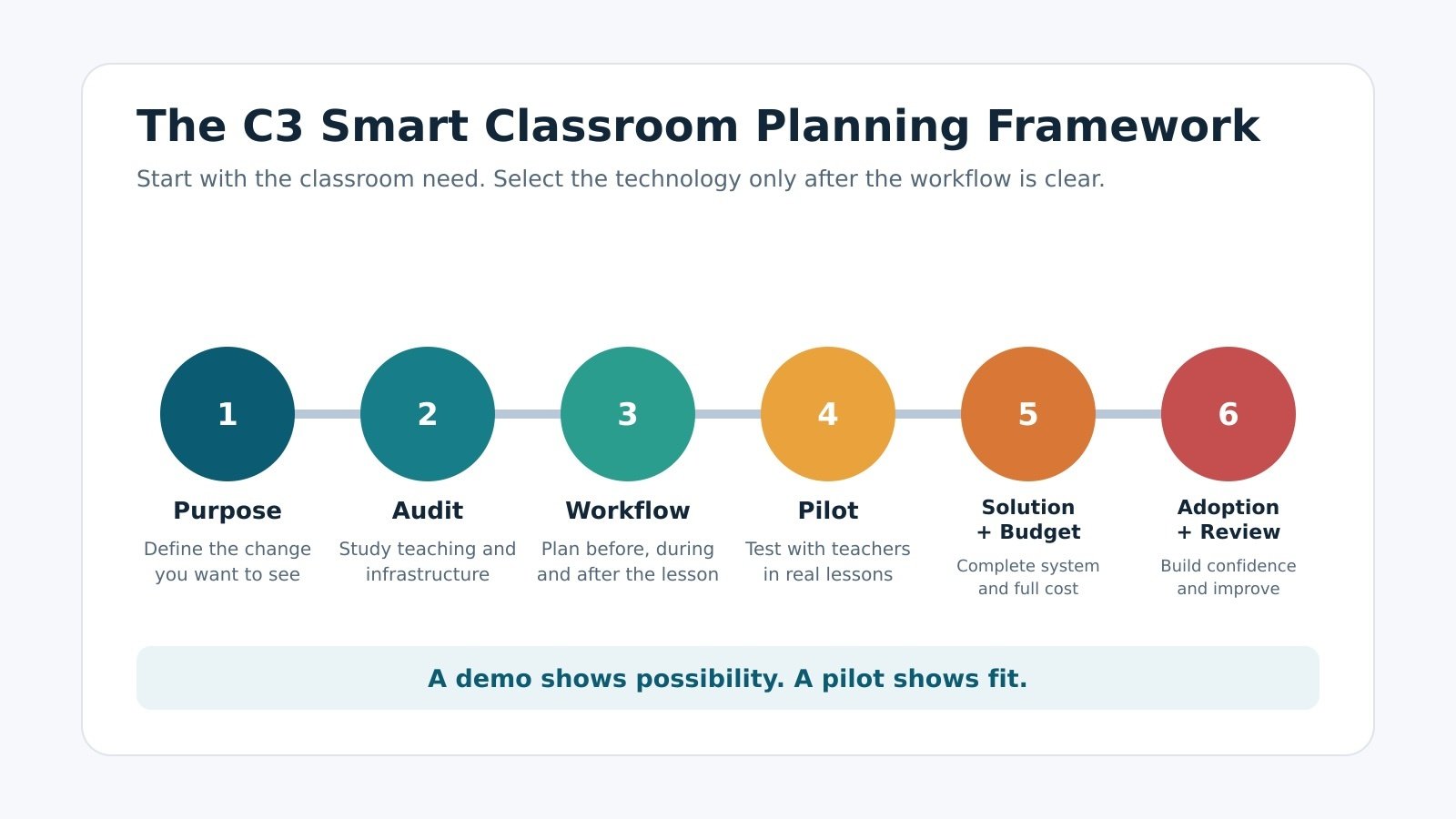
From our work with schools, we see six parts that must be connected.
| **Stage** | **Main decision** | **Evidence the school should have** |
| --- | --- | --- |
| Purpose | What should change in teaching or learning? | A clear classroom problem and intended outcome |
| Audit | What is happening today? | Teacher input and an infrastructure review |
| Workflow | How will the system be used? | A before-during-after lesson workflow |
| Pilot | Does it work in this school? | Real teacher use and structured feedback |
| Solution and budget | What complete system is required? | Product fit, infrastructure needs and total cost |
| Adoption and review | How will regular use develop? | A PD plan, support ownership, and review measures |
The order matters.
If the school begins with the product, the product starts shaping the project before the classroom problem has been understood.
---
### **1. Begin with the purpose**
“Improve student engagement” is one of the most common goals I hear.
It is a good intention.
But it is too broad to guide a project.
The school needs to go one level deeper.
Does engagement mean more students answering questions?
Does it mean making difficult concepts easier to understand?
Does it mean giving students different ways to explore the same idea?
Does it mean checking understanding during the lesson?
Or does it mean helping teachers prepare better resources in less time?
A clear goal helps the school decide which capabilities matter.
For example, if the school wants faster assessment during lessons, it needs more than a large display. It needs a simple way to ask questions, collect responses, and review the results.
The common mistake is to replace the goal with a product statement:
“We need 30 interactive flat panels.”
That is a purchase requirement.
It is not an academic goal.
> **Ask:**
>
> What should teachers and students be able to do after this project that they cannot do easily today?
Technology selection becomes much easier once that answer is clear.
---
### **2. Study the present classroom**
School leaders do not see every lesson.
They often depend on feedback from the principal, academic coordinators, or a small group of teachers.
Some classroom problems may also have existed for so long that they are no longer seen as problems.
During one school visit, we found teachers with access to digital tools but no reliable internet inside the classroom.
They used personal YouTube accounts to show videos.
Advertisements appeared during lessons.
Unrelated videos were suggested on the classroom screen.
The school had technology.
It did not yet have a safe and reliable teaching workflow.
A classroom audit should study how teachers:
1. Prepare lessons
2. Find and create resources
3. Bring content into the classroom
4. Explain difficult concepts
5. Check student understanding
6. Collect student work
7. Give feedback
8. Store and share lesson material
The IT administrator should also assess internet access, shared bandwidth, Wi-Fi coverage, user accounts, cloud systems, access rights, security,y and future expansion.
The common mistake is allowing only the investor and vendor to shape the project.
When the principal, academic coordinators and teachers are missing from the discussion, the school may get a good product with a poor classroom fit.
> **Ask:**
>
> What is making teaching difficult today, and which part of that problem can technology genuinely improve?
The purpose of an audit is not to find fault with teachers.
It is to understand their work.
---
### **3. Design one teaching workflow**
| **Workflow Stage** | **Traditional Classroom Trap** | **Smart Classroom Ecosystem** |
| --- | --- | --- |
| **Before Class (Preparation)** | Juggling 50+ fragmented apps, personal USB drives | Centralized Google Workspace / Microsoft 365 lesson library |
| **During Class (Delivery)** | Using displays purely for passive video/PowerPoint | Interactive whiteboarding, real-time polling, and annotation |
| **After Class (Review)** | Erasing the board; students lose lesson notes | Instant Cloud saving, student sharing, and remedial review |
This is the part most product discussions miss.
The school must decide how teachers will use the system:
1. Before the lesson
2. During the lesson
3. After the lesson
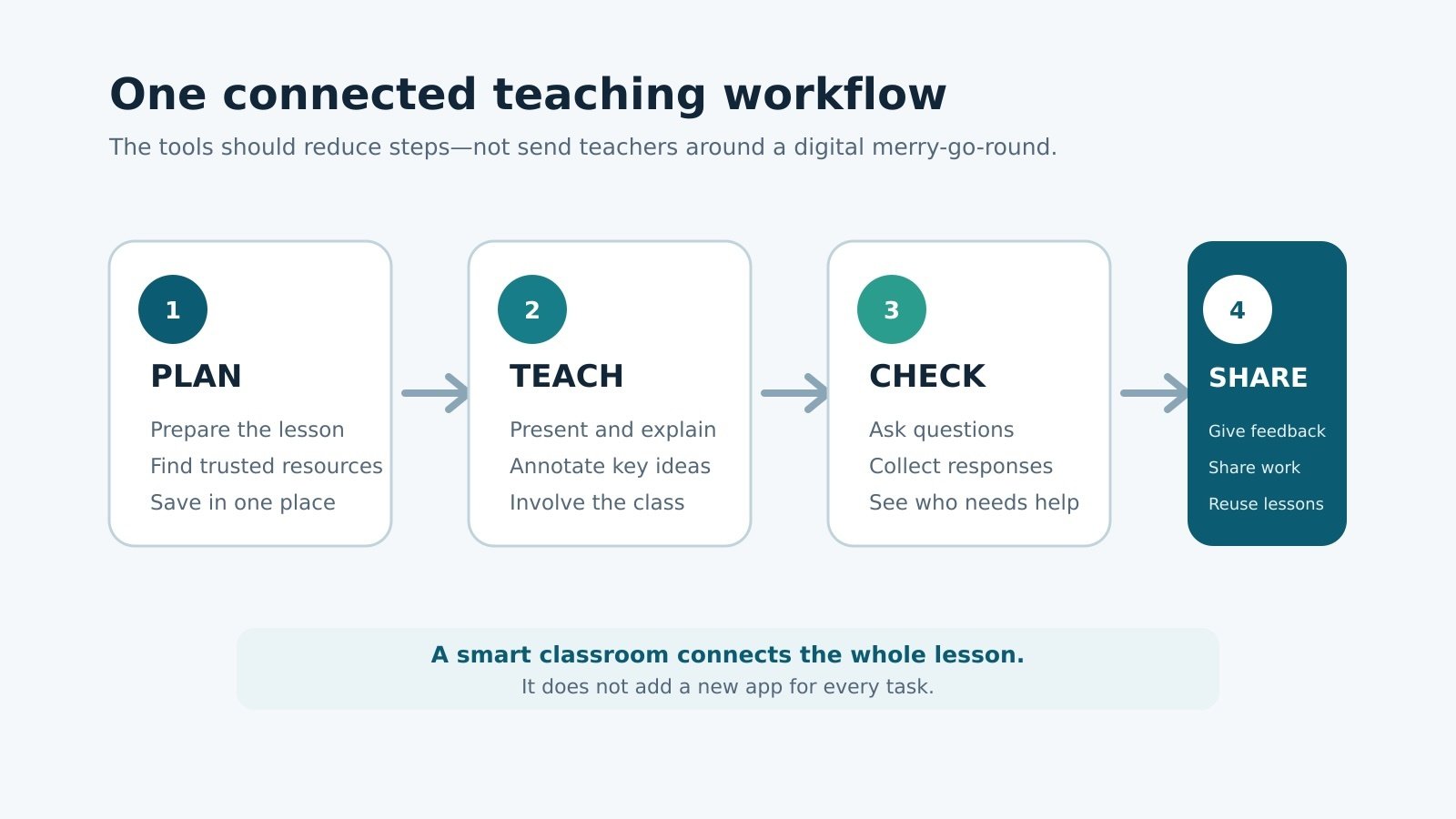
Before the lesson, where will teachers find, prepare, and save resources?
During the lesson, how will they present, explain, question and assess?
After the lesson, how will they share work, give feedback and reuse the content?
Without a common workflow, schools often add applications one by one.
One tool prepares the lesson.
Another presents it.
A third runs the quiz.
A fourth shares the assignment.
A fifth stores the files.
Each tool may be useful.
Together, they may create more work.
During one school engagement, we found teachers using close to 60 applications across different teaching tasks.
The number itself was not the main problem.
There was no common application policy.
Teachers created and stored resources in different places. Content made by one teacher was not always easy for another teacher to find or reuse.
The school then began moving towards a more consistent workflow through Google Workspace for Education.
Shared content became easier to organise.
Teachers could work within a common system for content creation, delivery, assessment and feedback.
An ecosystem is not a large collection of apps.
It is a smaller set of tools that work together.
Room sizes may change.
Display sizes may change.
The core teaching workflow should remain familiar across the school.
> **Ask:**
>
> Can teachers move from lesson preparation to teaching, assessment and feedback without jumping through unrelated tools?
People do not resist technology.
They resist extra work.
---
### **4. Test the idea through a real pilot**
Many schools are shown a product demonstration.
The display looks impressive.
The writing feels smooth.
A video is played.
A few features are demonstrated.
That tells the school whether the product works during a demonstration.
It does not show whether teachers can use the system in real lessons.
In our current approach, we normally allow four to six weeks for a pilot.
This is not a universal rule.
It is a practical period that gives a core group of teachers time to prepare lessons, use the system with students, and report where the workflow becomes difficult.
Teachers should work with their own subjects and lesson content.
The pilot should help the school answer:
1. Can teachers use the system in real lessons?
2. Does it reduce steps or add more work?
3. How do students respond?
4. What technical problems appear?
5. What further training is needed?
6. What must change before a larger rollout?
The findings should be shared with the principal, correspondent,t and academic team.
A one-hour demonstration cannot provide the same evidence.
A demo shows possibility.
A pilot shows fit.
🏫
### Need a Smart Classroom Readiness Audit?
Before requesting vendor quotations or approving hardware specs, get an independent review of your school's IT infrastructure, Wi-Fi coverage, and teacher adoption workflows.
[Book a 30-Minute Readiness Audit →](https://share-na2.hsforms.com/1Z59E5q-kT-ydzJCdWjJTkQ3e5cs)
---
### **5. Select the complete solution, not just the panel**
Hardware specifications are easy to compare.
That is why many discussions begin there.
Vendors speak about Android versions, RAM, touch points, microphone arrays, camera resolution, ports, and NFC readers.
Some features are useful.
Some are frills in a normal classroom.
Most teachers do not need 40 or 80 touch points to teach a lesson.
A high-resolution camera and large microphone array may matter in a hybrid classroom. They may add little value in a standard classroom.
The better question is not:
“Which panel has more features?”
It is:
“Which solution supports the teaching workflow we have designed?”
At minimum, the system should give teachers a reliable way to:
1. Open and present lesson content
2. Write, annotate and explain
3. Show images, videos and other resources
4. Involve students in an activity
5. Check understanding
6. Save and share the lesson
7. Access school-managed files
8. Receive technical support when something fails
The exact hardware will change with the room.
A classroom with 25 students and one with 60 students should not be treated as the same room.
Screen size should be appropriate to the room, seating, student strength, and viewing distance.
The hardware may vary.
The teaching experience should remain consistent.
Smart Classroom Planning Series
## Plan the complete system, one decision at a time
Start with the complete planning guide, or explore each part of the smart classroom project below.
1. **Smart Classroom Planning Guide for Indian Schools** — You are here
2. [Smart Classroom vs Digital Classroom: What Is the Real Difference?](https://www.c3itxperts.com/blog/smart-classroom-vs-digital-classroom-what-is-the-real-difference) — Read here
3. [What Technology Does a Smart Classroom Actually Need?](https://www.c3itxperts.com/blog/what-technology-does-a-smart-classroom-actually-need) — Read here
4. [Smart Classroom Readiness Checklist for Indian Schools](https://www.c3itxperts.com/blog/smart-classroom-readiness-checklist-for-indian-schools-c3-it-xperts) — Read here
5. How Much Does a Smart Classroom Cost? Coming soon
6. How to Prepare a Smart Classroom Budget Coming soon
7. Questions to Ask Before Issuing a Smart Classroom RFP Coming soon
8. Common Smart Classroom Planning Mistakes Coming soon
9. How to Create a Phased Smart Classroom Rollout Coming soon
### **6. Build adoption into the project**
Many smart classroom projects follow a familiar path.
Sell.
Install.
Conduct half-day training.
Leave.
The training usually covers how to switch on the panel and what each toolbar icon does.
Teachers receive too much information in too little time.
The school then expects regular classroom use.
For a few weeks, everyone is excited.
Later, the panel becomes a display.
Some teachers return to their earlier routines.
The school may conclude that teachers are unwilling to change.
That is rarely the full story.
Teachers need time to connect the technology to their subject, lesson, and students.
We prefer micro professional development.
A session may last 45 to 60 minutes and focus on one teaching task:
- Preparing one interactive lesson
- Explaining one abstract concept
- Running one quick assessment
- Sharing one worksheet
- Giving feedback
- Saving and reusing a lesson
The school should also avoid policing teachers during the first 90 days.
Early monitoring can create fear.
Teachers need protected practice time.
They need space to try, fail, and ask for help.
During this period, leadership should provide coaching, remove technical barriers and celebrate small wins.
Once teachers become more confident, the school can review:
- Lessons prepared
- Quality of shared resources
- Assessments created
- Student submissions
- Teacher collaboration
- Student participation
- Changes in lesson practice
Power-on time is not meaningful adoption.
A panel can remain on all day without changing one lesson.
> **Ask:**
>
> What support will help teachers use this system after the trainer has left?
>
> Installation changes the room.
Adoption changes the classroom.
---
## **Do not mistake a quotation for a project budget**
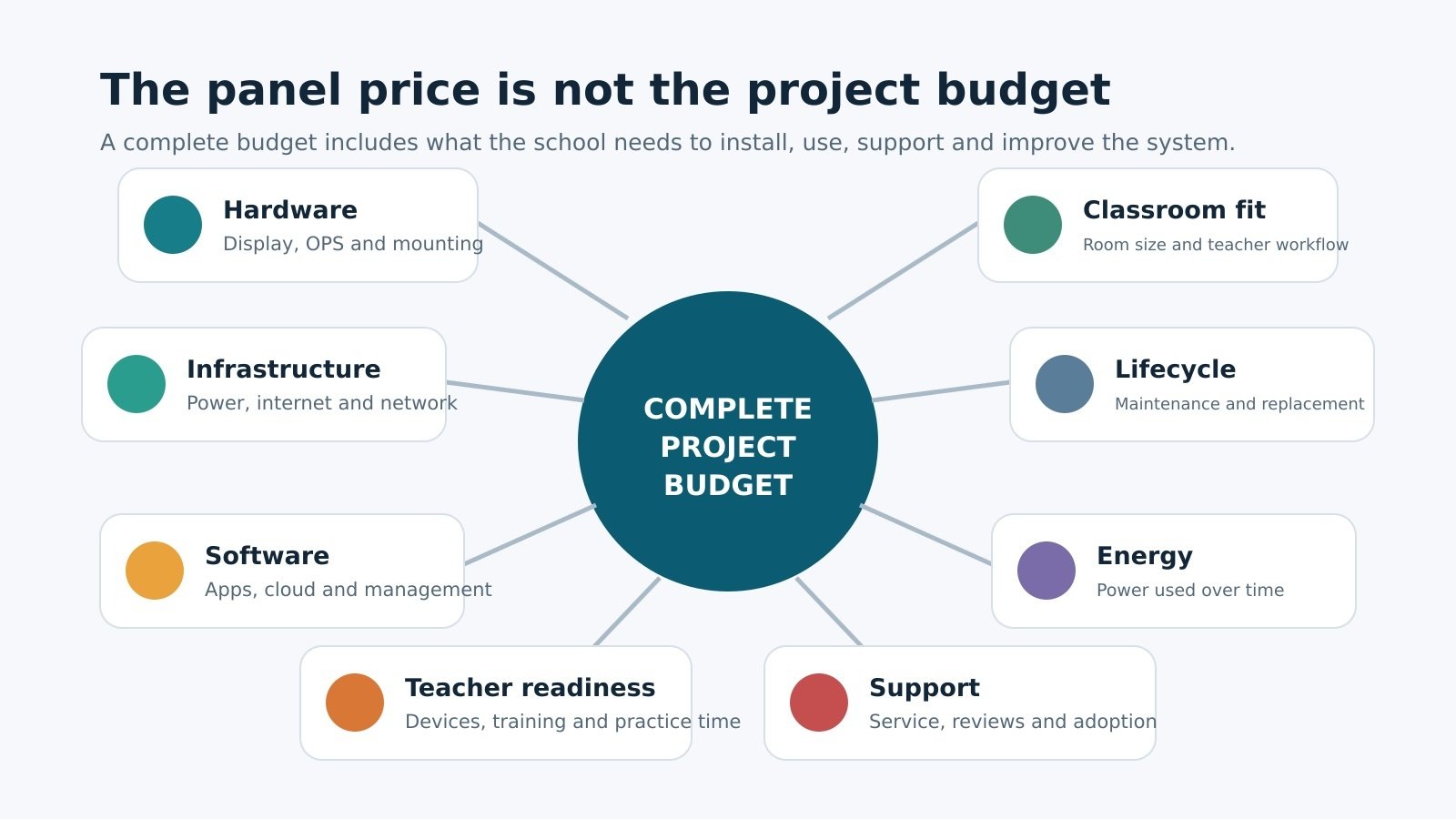
Schools often set aside money only for the interactive flat panel.
The complete project may also include:
- Windows OPS or a classroom computer
- Network and internet upgrades
- Electrical work
- Installation
- Teacher devices
- Software or cloud licences
- Device management
- Professional development
- Technical support
- Support beyond warranty
- Power consumption
- Future replacement
We do not recommend premium models simply because they have more features.
If those features do not serve the classroom, the school should not pay for them.
But the lowest purchase price can also become expensive later.
A panel without the required ecosystem may force the school to buy more applications.
A product that consumes more power may increase recurring costs.
A slow or fragmented system can push teachers back to the board.
A product quotation shows what the vendor is selling.
A project budget shows what the school needs.
> **Ask:**
>
> What will this solution cost us to use, support, and improve over the next three to five years?
---
## **Common smart classroom planning mistakes**
The most common mistakes are connected.
The school buys before defining the problem.
Price leads the first discussion.
Teachers and academic leaders are not involved.
Several separate applications are presented as one ecosystem.
The same specification is used for every room.
The budget covers hardware but not infrastructure, training, and support.
Product training is treated as professional development.
Usage is measured before teacher confidence is built.
These mistakes do not happen because schools do not care.
They happen because smart classroom procurement is treated like a normal equipment purchase.
It is not.
The school is changing part of its teaching system.
---
## **Seven questions to answer before requesting quotations**
Before approaching vendors, the school leadership team should be able to answer:
1. What classroom problem are we trying to solve?
2. What should teachers and students do differently?
3. Is our infrastructure ready?
4. What teaching workflow will the school use?
5. Has the proposed solution been tested by teachers?
6. What is the complete project cost?
7. How will teachers be supported after installation?
If these answers are unclear, the school is not yet ready to compare products.
It is ready to begin planning.
Download: [5 Step Tech Audit Checklist](https://na2.hubs.ly/H06QHLN0)
## **Who should own each part?**
| **Stakeholder** | **Primary responsibility** |
| --- | --- |
| School leadership | Set the vision, approve the budget, provide teacher-development time, and review progress |
| Principal | Connect the project to academic goals and the school’s teaching model |
| Academic coordinators | Guide lesson workflows, support teachers and review shared resources |
| Teachers | Explain present challenges, test the system, and provide practical feedback |
| IT administrator | Assess infrastructure, manage access and security, and support the system |
| Implementation partner | Audit needs, support the pilot, design and implement the solution, and assist with adoption |
The school must retain ownership of its teaching goals, content policy,y and measures of success.
An implementation partner can help turn those decisions into a working system.
It should not make those decisions alone.
---
## **Recommended implementation sequence**
### **Before purchase**
Define the classroom problem.
Form the project team.
Audit teaching and infrastructure.
Design the workflow.
Run a pilot.
Collect teacher feedback.
Prepare the complete budget and outcome-based RFP.
### **Before installation**
Confirm power, mounting, internet and network access.
Create user IDs and access rights.
Prepare the school’s cloud and content system.
Train the IT team and core teachers.
### **During implementation**
Install in planned phases.
Test every classroom.
Verify accounts and content access.
Resolve technical issues before handover.
### **During the first 90 days**
Provide micro PD and protected practice time.
Remove technical barriers quickly.
Collect teacher feedback.
Celebrate lessons that worked.
Avoid using early data as a teacher performance score.
### **During ongoing review**
Review lessons, assessments, student submissions, and shared resources.
Study where the workflow remains difficult.
Continue subject-based professional development.
A phased rollout gives the school time to learn.
It is easier to correct a workflow with five classrooms than after installing the same problem in fifty.
## **Frequently asked questions**
### **Should a school choose the brand or teaching platform first?**
Start with the teaching need and workflow.
Select the brand and hardware after the school understands what teachers must do before, during,g and after a lesson.
### **Does every classroom need an interactive flat panel?**
Not always.
The decision should depend on the teaching use, room size, student strength, and budget. Some spaces may need only a display or presentation system.
### **How long should a pilot run?**
In our approach, a pilot normally runs for four to six weeks.
The exact period may change. What matters is giving teachers enough time to prepare and deliver real lessons.
### **Is a higher-priced panel always better?**
No.
A premium model may include features that have little use in a standard classroom. The better solution is the one that fits the school’s workflow and infrastructure.
### **How should a school measure adoption?**
Do not depend only on power-on time.
Review lessons created, resources shared, assessments used, student work, teacher collaboration, and changes in classroom participation.
## **Our position on smart classroom planning**
[C3 iT Xperts](https://www.c3itxperts.com/) approaches smart classroom projects as an education technology consultant and implementation partner.
We begin by studying the school’s teaching workflow, infrastructure and teacher readiness.
The final plan may include interactive displays, classroom computing, network upgrades, cloud platforms, application policies, professional development and adoption support.
It may also show that the school should correct part of its existing system before buying more hardware.
Our role is not to make the longest product list.
It is to help the school answer a more useful question:
**What complete teaching system can our teachers use with confidence?**
## **Before you request quotations**
If your school already has a proposal, product list or RFP, review it against four questions:
- What classroom problem does it solve?
- How does it fit the teacher’s lesson workflow?
- What has been included beyond the display?
- What support will continue after installation?
If those answers are not yet clear, C3 iT Xperts can provide a Second View.
We will review the plan from four angles:
- Classroom use
- Infrastructure readiness
- Total project cost
- Teacher adoption
## **Request a Second View**
**Request a Second View of your smart classroom plan.**
[Click here to request a Second View](https://meetings-na2.hubspot.com/manoj/edtech-consulting)
Or visit the C3 iT Xperts Experience Centre to see the teaching workflow before selecting the equipment.
[Directions to our Experience Centre](https://maps.app.goo.gl/BoZvvixPWRzD6EC57)
About the Author

#### Manoj Sundaram
Founder @ C3 iT Xperts
I help K–12 leaders turn "dusty" classroom tech into a daily teaching habit. 18 years and 11,000 classrooms have taught me that the best tech is the tech that "disappears" into the teaching rhythm.
18+ Years Experience
11k+ Classrooms
50k+ Educators Impacted
[LinkedIn ↗](https://www.linkedin.com/in/c3manoj/) [WhatsApp ↗](https://wa.me/919600033377) [Book a Free EdTechConsultation ↗](https://meetings-na2.hubspot.com/manoj/edtech-consulting?uuid=638e6fef-12d9-4986-9a9c-18c0bab535b5)
- [Smart Classrooms](https://www.c3itxperts.com/blog/tag/smart-classrooms),
- [Smart Classroom Strategy](https://www.c3itxperts.com/blog/tag/smart-classroom-strategy),
- [Classroom Technology Implementation](https://www.c3itxperts.com/blog/tag/classroom-technology-implementation)
##### [← How Smart Schools Turn One Lesson Into Five Learning Resources](https://www.c3itxperts.com/blog/how-smart-schools-turn-one-lesson-into-five-learning-resources)
##### [Smart Classroom vs Digital Classroom: What Is the Real Difference? →](https://www.c3itxperts.com/blog/smart-classroom-vs-digital-classroom-what-is-the-real-difference)
🚨 Free Resource for School Leaders
### The SMART Classroom Reset Guide
A practical blueprint to eliminate daily friction and help teachers actually use interactive panels in class.
[Get the Smart Classroom Reset Guide](https://www.c3itxperts.com/smart-classroom-reset-guide)
### Beyond the Brochure
One practical insight every Saturday for school leaders making technology decisions.
Learn what to invest in, what to question, and how to help teachers get better value from the technology already in their classrooms.
Share this Article on:
#### Our Latest Blog Post
[ Read more](https://www.c3itxperts.com/blog/before-you-finalise-your-2027-28-school-technology-budget-ask-these-five-questions)
### [5 Questions Before Finalising Your School Technology Budget for 2027–28](https://www.c3itxperts.com/blog/before-you-finalise-your-2027-28-school-technology-budget-ask-these-five-questions)
Your principal wants 20 more interactive panels. Your IT team wants a network upgrade. Teachers need better access to...
[.jpg) Read more](https://www.c3itxperts.com/blog/smart-classroom-adoption-why-teacher-training-isnt-enough)
### [Teachers Trained, Smart Classrooms Still Underused?](https://www.c3itxperts.com/blog/smart-classroom-adoption-why-teacher-training-isnt-enough)
You paid for interactive panels. Your teachers attended the workshops.
[ Read more](https://www.c3itxperts.com/blog/ai-in-schools-teaching-assessment-operations)
### [AI in Schools: What Should We Redesign, and What Should Stay Human?](https://www.c3itxperts.com/blog/ai-in-schools-teaching-assessment-operations)
Schools are rushing to talk about AI. Which tool should teachers use? Should students use Gemini? Should we buy...
[ Read more](https://www.c3itxperts.com/blog/what-gemini-is-and-how-schools-can-use-it-safely)
### [What Gemini Is and How Schools Can Use It Safely](https://www.c3itxperts.com/blog/what-gemini-is-and-how-schools-can-use-it-safely)
Quick Summary Gemini serves as a powerful assistant for schools, streamlining routine tasks like drafting, explaining,...
Blog Post
## Related Articles
**Discover More Articles to Support Your Journey**
Explore topics designed to inspire, inform, and empower you with practical ideas and innovative solutions.
[](https://www.c3itxperts.com/blog/smart-classroom-readiness-checklist-for-indian-schools-c3-it-xperts)
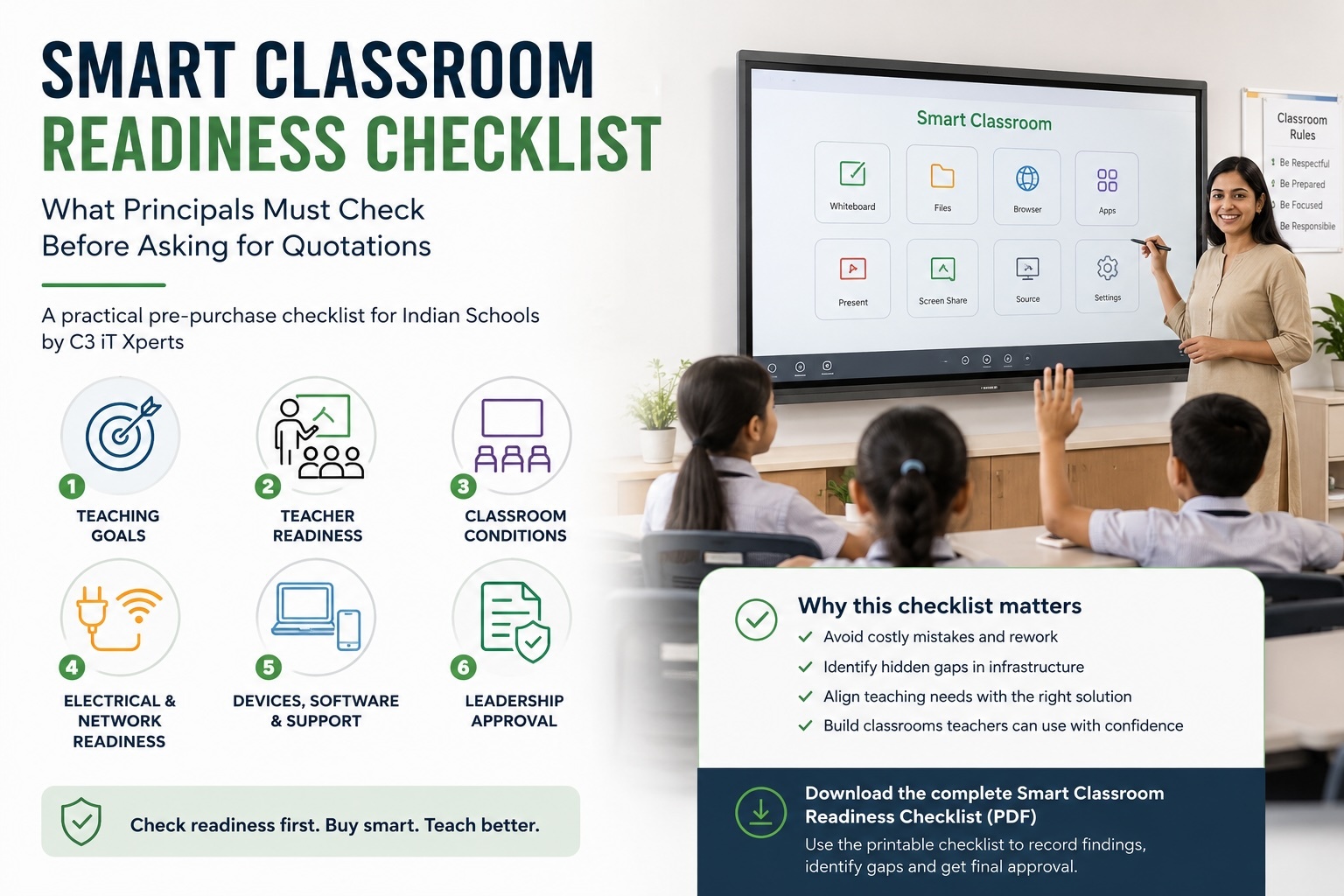
### [Smart Classroom Readiness Checklist for Indian Schools](https://www.c3itxperts.com/blog/smart-classroom-readiness-checklist-for-indian-schools-c3-it-xperts)
August 1, 2026
What Principals Must Check Before Asking for Quotations A smart classroom conversation often begins with a product...
[Read more](https://www.c3itxperts.com/blog/smart-classroom-readiness-checklist-for-indian-schools-c3-it-xperts)
[](https://www.c3itxperts.com/blog/smart-classroom-vs-digital-classroom-what-is-the-real-difference)
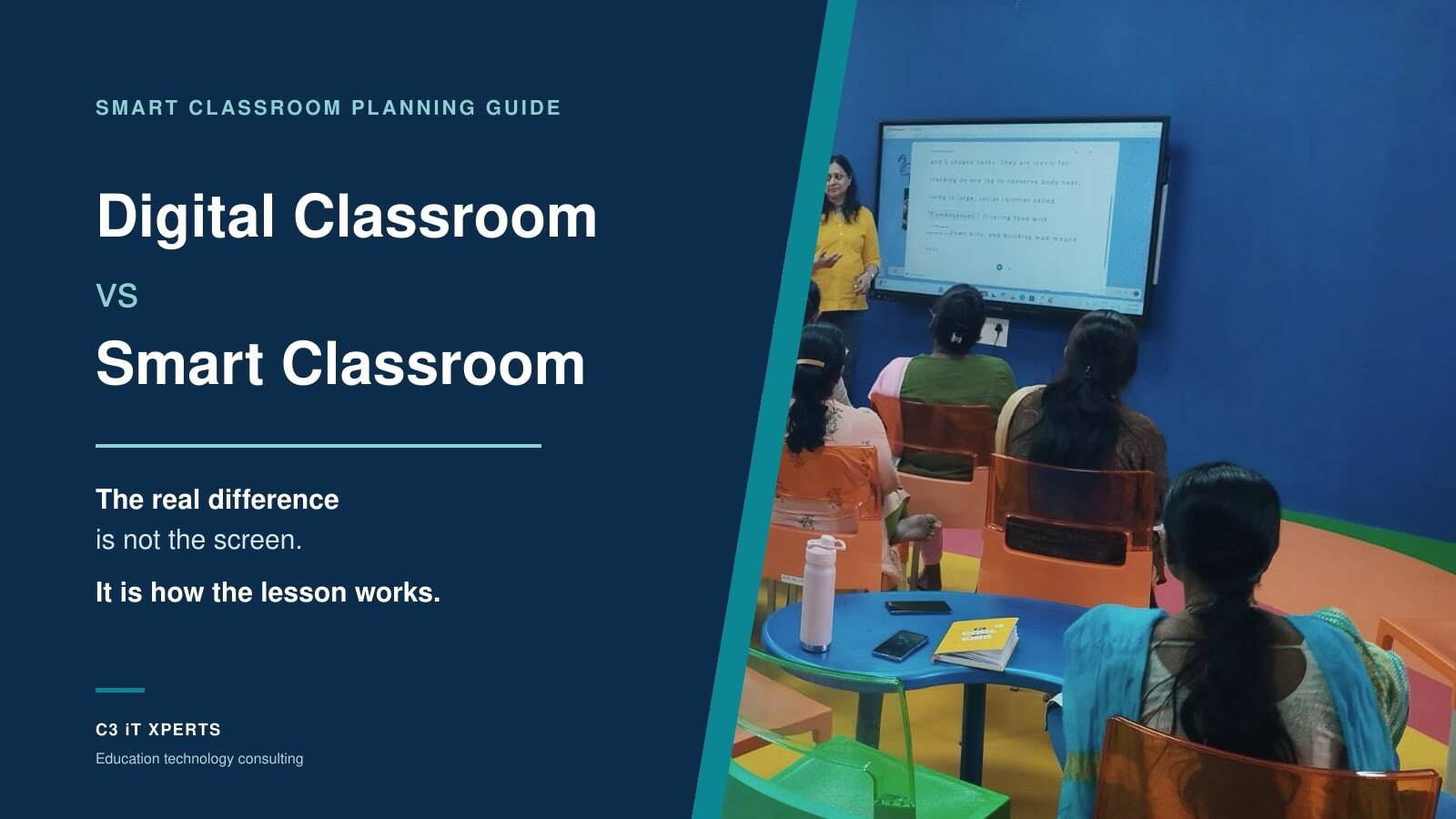
### [Smart Classroom vs Digital Classroom: What Is the Real Difference?](https://www.c3itxperts.com/blog/smart-classroom-vs-digital-classroom-what-is-the-real-difference)
July 25, 2026
Almost every school I visit tells me the same thing. “We have smart classrooms.” Then I walk into one of those...
[Read more](https://www.c3itxperts.com/blog/smart-classroom-vs-digital-classroom-what-is-the-real-difference)
[](https://www.c3itxperts.com/blog/what-technology-does-a-smart-classroom-actually-need)
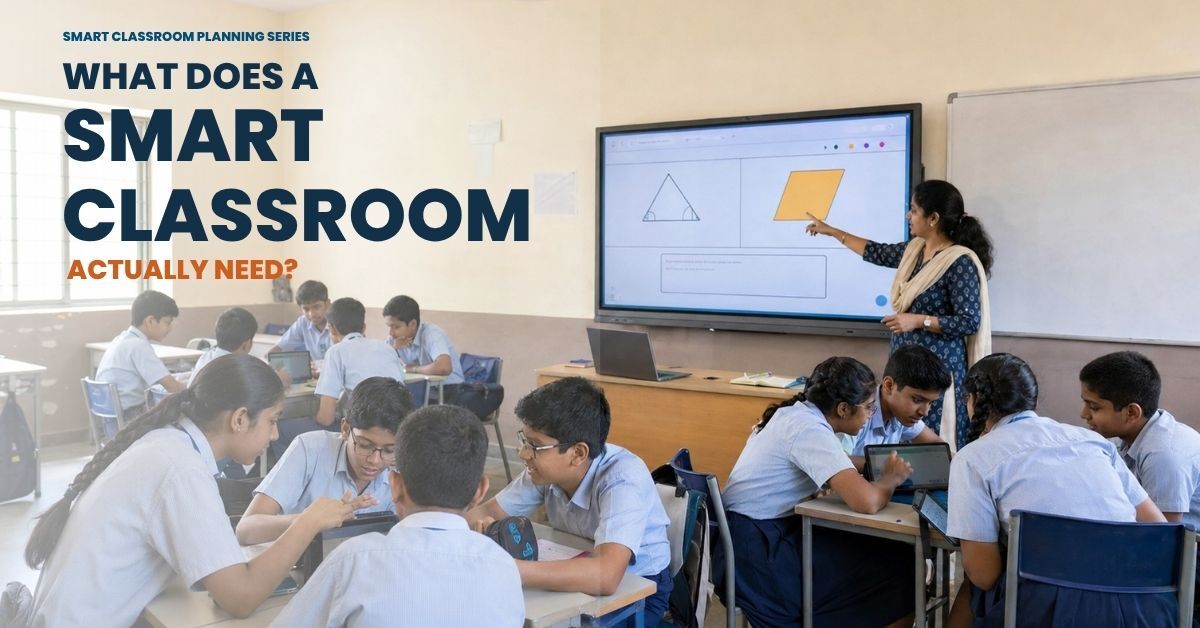
### [What Technology Does a Smart Classroom Actually Need for 2026](https://www.c3itxperts.com/blog/what-technology-does-a-smart-classroom-actually-need)
July 29, 2026
Updated August 14th 2026
[Read more](https://www.c3itxperts.com/blog/what-technology-does-a-smart-classroom-actually-need)
Check all articles
## Knowledge is
### Stay Updated with the Latest Insights
Subscribe to our blog for expert tips, educational technology updates, and strategies to empower educators and transform classrooms.
[.png?width=1322&height=350&name=C3ITXperts-logo-R%20(1).png "C3ITXperts-logo-R (1)")](https://c3itxperts.com)
C3 iT Xperts Pvt. Ltd. is a leading provider of cutting-edge technology solutions and consulting services, empowering businesses and educators to innovate and succeed with the right tech tools. From audio-visual technology in classrooms to IT infrastructure solutions, we partner with you for growth.
### Pages
- [Education](https://www.c3itxperts.com/education-solutions)
- [Business](https://www.c3itxperts.com/business-solutions)
- [Training](https://www.c3itxperts.com/professional-development-training)
- [About C3](https://www.c3itxperts.com/about-page)
- [Contact](https://www.c3itxperts.com/contact)
#### Contact
- C3 iT Xperts Pvt. Ltd.
S-2, Dhanya Gardens, #6/1,
Leo Muthu Street, Kalaimagal Nagar, Ekkaduthangal,
Chennai, Tamil Nadu 600032
- **Email:** [info@c3itxperts.com](mailto:info@c3itxperts.com)
- **[+91- 44- 35510704](tel:+91-%2044-35510704)** / **[+91-44-35292255](tel:+91-44-35292255)**
[Follow us on Facebook](https://www.facebook.com/c3itxperts) [Follow us on LinkedIn](https://www.linkedin.com/company/c3itxperts/?viewAsMember=true) [Follow us on YouTube](https://www.youtube.com/@C3iTXpertsPvtLtd) [Follow us on whatsapp](https://wa.me/918825822029)
---
- Terms and Services
- [Privacy Policy](https://c3itxperts.com/privacy-policy)
All Rights Reserved
```json
{
"@context" : "https://schema.org",
"@type" : "BlogPosting",
"author" : {
"@type" : "Person",
"name" : "Manoj",
"url" : "https://www.c3itxperts.com/blog/author/manoj"
},
"dateModified" : "2026-08-19T11:50:30.870Z",
"datePublished" : "2026-07-23T12:25:23.000Z",
"headline" : "Smart Classroom Planning Guide for Indian Schools",
"image" : [ "https://www.c3itxperts.com/hubfs/smart-classroom-planning-hero.jpg" ],
"mainEntityOfPage" : {
"@id" : "https://www.c3itxperts.com/blog/smart-classroom-planning-guide-for-indian-schools",
"@type" : "WebPage"
},
"publisher" : {
"@type" : "Organization",
"logo" : {
"@type" : "ImageObject",
"url" : "https://www.c3itxperts.com/hubfs/C3ITXperts-logo-R-1.png"
},
"name" : "C3 iT Xperts Pvt. Ltd"
}
}
```