.png?width=1322&height=350&name=C3ITXperts-logo-R%20(1).png "C3ITXperts-logo-R (1)")


How to Buy Smart Classrooms Without Regret

Most schools do not regret buying technology because it was expensive.
They regret buying technology that looked impressive in the demo and became a source of friction in the classroom.
That is the real danger.A screen can be bright.
A panel can be 4K.
A vendor can say all the right things.
None of that matters if teachers hesitate to use it on a normal Tuesday morning.
Eventually, every school reaches the same moment. Old projectors begin to fade. First-generation smart boards lose touch accuracy. Software stops getting updates. Leadership starts planning the next round of spending.
This is where many schools make a very costly mistake.
They buy hardware.
But what they really need is a system.
Future-proofing a smart classroom is not about guessing which gadget will trend five years from now. It is about making sure your school does not get trapped by the next purchase. It is about choosing technology that fits teaching routines, survives real school conditions, and stays useful even when vendors, software, or devices change.
If you want to buy smart classrooms without regret, here is what school leaders need to get right.
1. Stop Buying Specs. Start Buying Classroom Flow.
This is where most decisions go wrong.
Vendors come in with a spec sheet. They talk about 4K resolution, built-in Android, powerful speakers, anti-glare glass, 40 touch points, and all the rest of the showroom poetry.
Let’s be honest.
A 4K panel does not teach a lesson.
A 40-touch display does not reduce teacher hesitation.
A fancy screen with weak classroom flow is still a bad investment.
The real question is not, “How advanced is this panel?”
The real question is, “How fast can a teacher walk in, open a lesson, and start teaching without stress?”
That is the test.
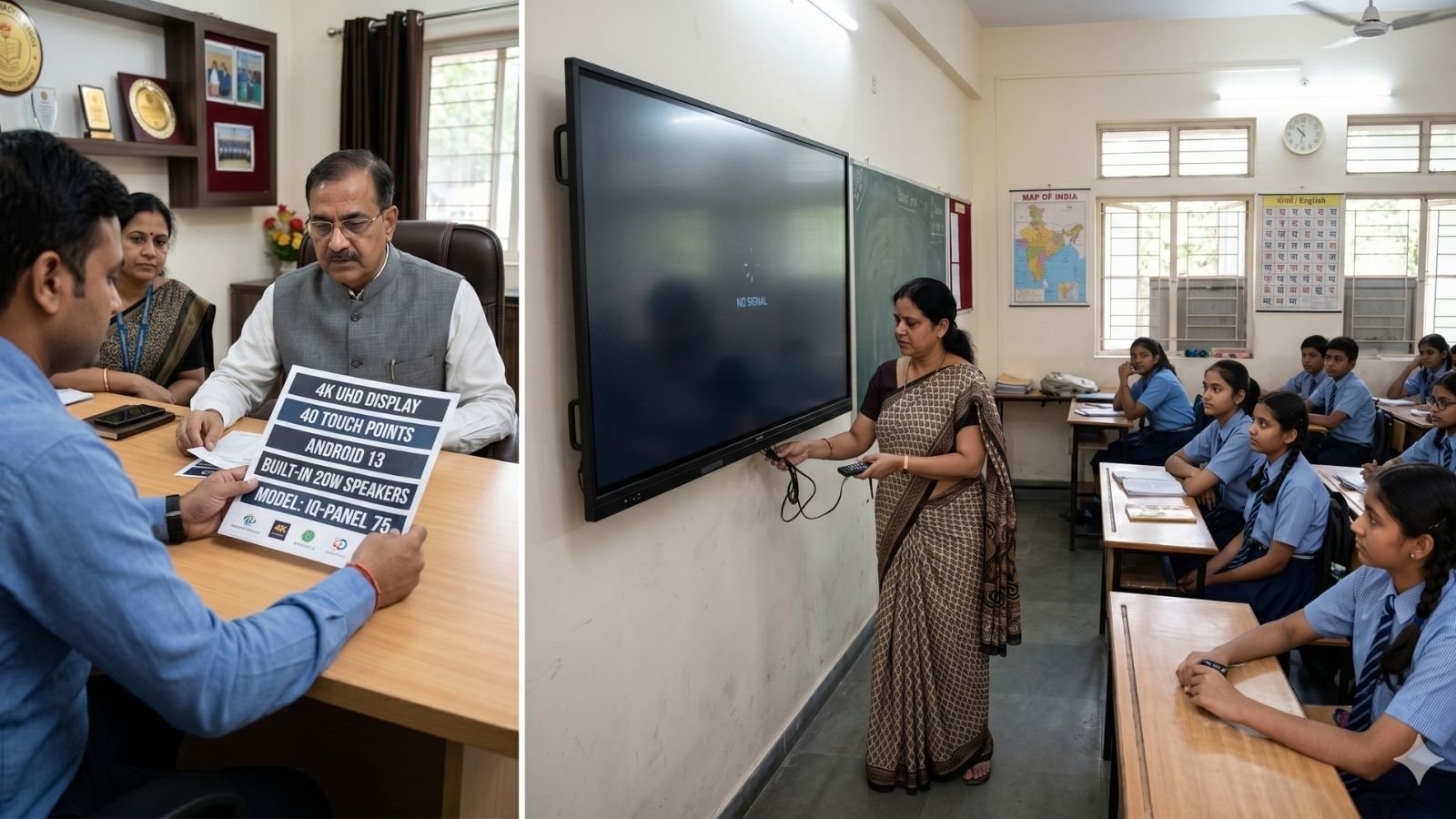
Before you approve any purchase, put the system in front of real teachers. Not just your digital champions. Put it in front of the teachers who are average, cautious, busy, and slightly uncomfortable with technology. They are the truth test.
Ask:
- Can teachers use their existing lesson files immediately, without friction, compatibility issues, or unnecessary extra steps?
- Can they open PowerPoint decks, Google Slides, PDFs, videos, and browser-based content smoothly and teach with them naturally?
- Can they annotate quickly without breaking the flow of the lesson?
- Can they switch between writing, explaining, showing a video, and returning to content without getting lost?
- Can they still teach properly if the internet drops?
- Can they start class in under 90 seconds?
That is the point school leaders must understand.
Most interactive flat panels can technically display or work with common lesson files because they function like large touch-enabled displays and input devices. The issue is usually not whether a file can open at all. The issue is whether the teacher can teach with it smoothly, quickly, and confidently.
That is where classroom friction begins.
Maybe the file opens, but the formatting shifts.
Maybe the video plays, but switching back to annotation takes too many steps.
Maybe cloud access works, but not fast enough for a live class.
Maybe the whiteboard tool is available, but it does not fit the teacher’s normal lesson rhythm.
In Indian schools, the first three minutes of a class matter more than the vendor brochure. If the technology slows that moment down, teachers will quietly go back to the methods that help them survive the timetable.
And once that happens, the panel becomes decoration.
2. Budget for the Full Cost of Success, Not Just the Invoice.
One of the biggest mistakes schools make is using the entire budget to buy hardware and leaving nothing for the things that actually make the hardware work long term.
That is how regret begins.
The purchase price is only the visible cost. The real cost is what it takes to keep the classroom usable, supported, and adopted year after year.
.jpg?width=1600&height=900&name=Total%20Cost%20of%20Ownership%20(TCO).jpg)
That includes:
Software continuity
Are key tools included permanently, or will the school face yearly renewals? If the software layer becomes expensive later, usage suffers.
Post-warranty support
What happens after the standard warranty ends? What is the AMC reality? How quickly are parts replaced? What is the expected response time?
Teacher adoption refresh
Most schools budget for installation. Very few budget for habit-building. That is a serious leadership blind spot.
Teachers do not need one launch-day session and a pat on the back.
They need:
- follow-up support
- refresher training
- simple classroom use-cases
- peer examples
- leadership walkthroughs that reinforce usage
Leadership visibility
If school leaders are not periodically checking how the technology is actually being used, the investment slowly drifts into uneven adoption.
This is the part many schools miss.
They think the screen is the investment.
It is not.
Sustained usage is the investment.
A school that buys panels without budgeting for support, audits, and teacher confidence is not future-proofing anything. It is simply delaying disappointment.
3. Choose Open Systems Over Closed Comfort.
Technology changes fast.
That is exactly why schools should be very careful about getting locked into closed ecosystems.
A tool may look polished today. It may even feel easier at the beginning. But if it traps all your teaching content inside one proprietary system, the school pays the price later.
Future-proofing is really about freedom.
You want the freedom to:
- move to a new hardware brand later
- retain old lesson content
- integrate with Google or Microsoft environments already used by your school
- avoid retraining the entire staff every time the vendor changes direction
In practical terms, school leaders should look for systems that work smoothly with standard formats and widely used platforms.
If your school runs on Google Workspace, the classroom technology should fit naturally into that environment.
If your school is built around Microsoft, the panel should support that reality properly.
Your teachers should not have to rebuild years of lesson content because a vendor wants them inside a closed garden.
That is not innovation.
That is dependency dressed up as convenience.
And in India, where schools must stretch value over many academic years, vendor lock-in is not a small technical issue. It is a long-term strategic risk.
A future-proof purchase is one that still leaves you options later.
4. Do Not Buy from a Box Supplier and Expect Transformation.
This part needs to be said clearly.
A supplier can deliver hardware.
A strategic partner can help a school actually use it.
Those are not the same thing.
Many schools choose vendors based on price, presentation quality, or brand familiarity. Then six months later, they discover nobody is really accountable for classroom outcomes.
The installation happened.
The invoice was cleared.
The usage gap remained.
That is because classroom transformation does not come from boxes. It comes from systems, follow-up, leadership alignment, and teacher confidence.
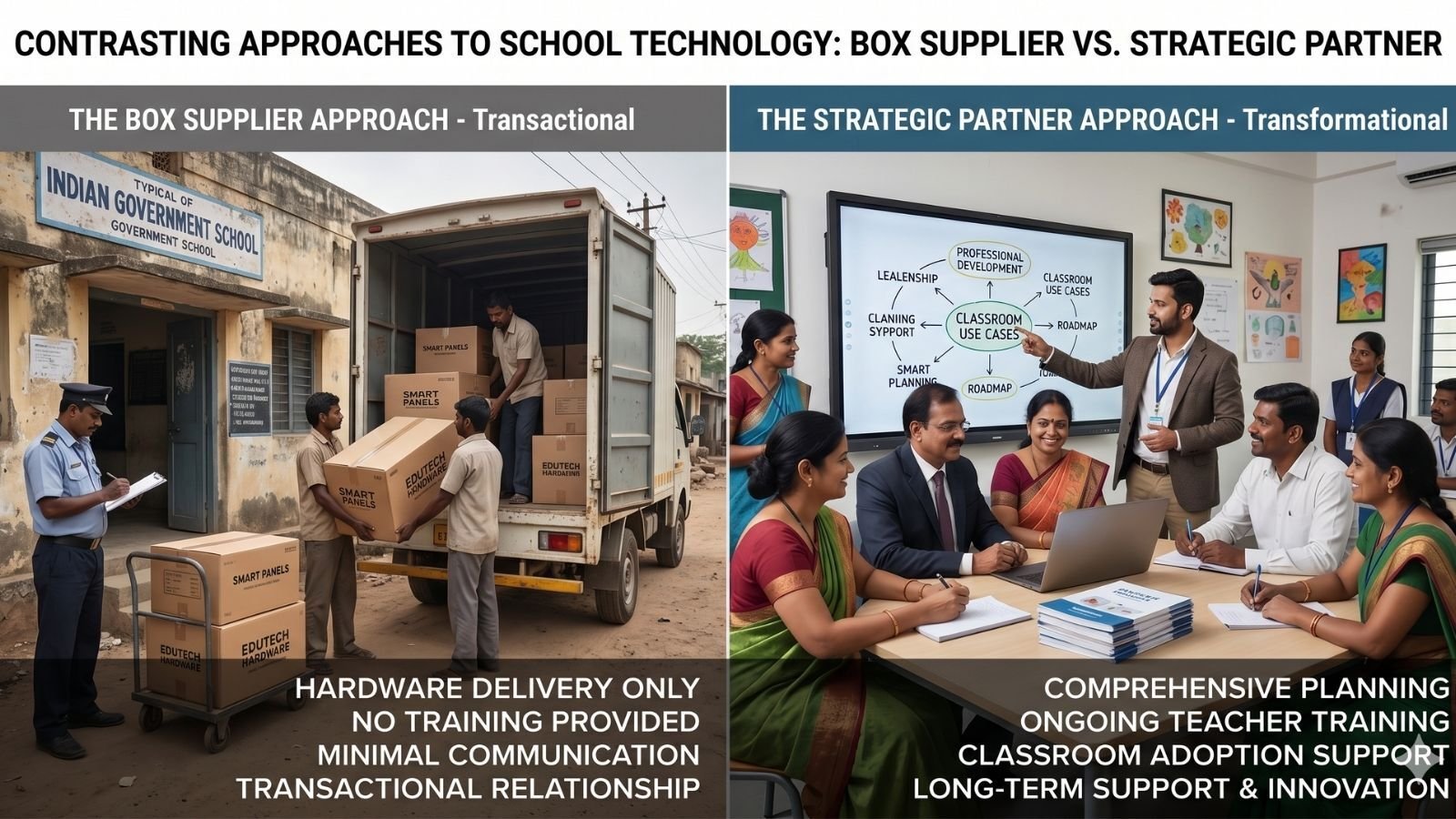
A serious partner should help you think beyond procurement.
They should be able to support:
- rollout planning
- early-stage teacher adoption
- classroom usage standards
- leadership review checkpoints
- ongoing refinement after launch
They should understand that what matters is not whether the panel turns on.
What matters is whether teaching becomes easier, faster, clearer, and more repeatable.
This is especially important in Indian schools, where one common pattern keeps repeating itself:
One confident teacher uses the technology brilliantly.
A few teachers use it occasionally.
The rest avoid it unless someone is standing next to them.
That is not adoption.
That is uneven dependence.
A real partner helps the school move from isolated success stories to consistent school-wide use.
And that is the only kind of success worth buying.
What Future-Proofing Actually Means
Future-proofing does not mean buying the most expensive hardware.
It does not mean chasing the newest feature.
And it definitely does not mean assuming that a premium brand name will automatically solve a school’s classroom problems.
Future-proofing means buying technology that:
- fits the pace of teaching
- works in the reality of Indian schools
- supports open ecosystems
- survives staff changes
- allows teacher content to travel across time and platforms
- comes with a plan for support, maintenance, and habit-building
In simple words, future-proofing means this:
You are not buying a screen.
You are buying the school’s next seven years of teaching rhythm.
That is why this decision matters so much.
Future-Proofing Means Investing in Stability, Not Specs
A Final Word on This Series
This series was never just about fixing smart classrooms.
It was about changing how school leaders think.
Too often, the conversation starts with products.
Which panel? Which software? Which brand? Which quote?
But that is the wrong starting point.
The real questions are:
- Will teachers actually use this every day?
- Will this reduce friction in a live classroom?
- Will this still feel easy in July, not just during the demo?
- Will the school become stronger if the vendor changes tomorrow?
That is what strategic leadership looks like.
Technology ROI does not happen in the launch event.
It does not happen in the tender meeting.
It does not happen in the sales pitch.
It happens when the tool disappears into the flow of teaching.
That is when the investment starts paying back.
And if your school has already installed technology that is drifting, slowing down, or being used unevenly, that does not mean the story is over. It just means the next step is not another device.
The next step is better leadership, better systems, and better support.
That is how schools stop buying with hope and start buying with clarity.
FAQs
What is the biggest mistake schools make when buying smart classroom technology?
The biggest mistake is buying based on specifications instead of classroom workflows. Schools often focus on screen size, touch points, and brightness, but ignore whether teachers can use the technology quickly and confidently during a real class.
How long should a school expect an interactive panel to remain useful?
In most schools, an interactive panel can remain functionally useful for around 5 to 7 years. But that lifespan depends heavily on maintenance, software continuity, and whether teachers continue using it as part of their daily teaching routine.
What does TCO mean in a school technology purchase?
TCO means Total Cost of Ownership. It includes not just the hardware price, but also software renewals, maintenance after warranty, training refreshers, support response time, and the cost of keeping teacher adoption strong over time.
Why is open-platform compatibility important in future-proofing school tech?
Open-platform compatibility helps schools avoid vendor lock-in. It ensures that teachers can continue using their lesson content across different devices, platforms, and brands over time, instead of losing years of work inside a closed software ecosystem.
About the Author

Manoj Sundaram
Founder @ C3 iT Xperts
I help K–12 leaders turn "dusty" classroom tech into a daily teaching habit. 18 years and 11,000 classrooms have taught me that the best tech is the tech that "disappears" into the teaching rhythm.
18+
Years Experience
11k+
Classrooms
40k+
Educators Impacted
- interactive flat panels,
- Smart Classrooms,
- Edtech India,
- Smart Classroom Leadership Series,
- Indian School Leadership,
- School Technology Planning,
- Classroom Technology ROI,
- Total Cost of Ownership