.png?width=1322&height=350&name=C3ITXperts-logo-R%20(1).png "C3ITXperts-logo-R (1)")


Published: April 22, 2026 | Last updated: August 2026

If your school is comparing interactive displays for schools in India, you are likely hearing the same sales pitch again and again:
4K. Android. Touch. Whiteboard. Screen share. Smart classroom. Student engagement.
That all sounds good.
But here is the real issue.
Many schools are still purchasing screens when they should be choosing a teaching system.
The best interactive display is not the one that looks great in a short demo.
It is the one teachers can start fast, use with confidence, and trust every day.
Today, many schools in India compare brands like ViewSonic, SMART, BenQ, Newline, MAXHUB, and Optoma.
Each brand has a different mix of:
- Software
- Cloud access
- Classroom tools
- Support
- Ease of use
So the right choice depends on your school’s teaching style, IT readiness, and rollout plan.
This guide helps school leaders, principals, and IT teams compare the top interactive flat panel display (IFPD) options for K–12 classrooms in India.
Best interactive displays for schools in India at a glance
If you want the short version, here it is:
Best for teaching software: SMART
Best for Google Workspace schools: BenQ
Best emerging EDLA option: Newline
Best alternate brand to compare: Optoma
That is the practical shortlist for many schools looking at smart classroom interactive displays today.
Top interactive display brands for schools in India
This is a use-case-based shortlist, not a laboratory ranking. Schools should evaluate the exact model, operating system, software, teacher workflow, training and local support before making a decision.
|
Brand |
Best For |
Key Strength |
Main Watch-Out |
|
ViewSonic |
Schools wanting a strong all-round option |
myViewBoard, education tools, EDLA models, cloud-friendly use |
Compare models carefully |
|
SMART |
Schools focused on teaching workflow |
Strong classroom software and education-first design |
Maybe more than some schools need |
|
BenQ |
Google Workspace-led schools |
Easy cloud access and Google-friendly workflow |
Best when staff already use digital tools well |
|
Newline |
Schools exploring newer EDLA options |
Google integration and modern classroom positioning |
Check local support carefully |
|
MAXHUB |
Value-led evaluations |
All-in-one feel and education smartboard range |
Must test in real classrooms |
|
Optoma |
Schools wanting another serious option to compare |
Education display range and EDLA-based options |
Local rollout strength matters |
C3 Verdict: What matters more than the brochure
At C3 iT Xperts, we look at one thing first:
Will teachers actually use this panel every day when the bell rings?
Because schools usually do not fail at installation.
They fail at daily use.
The common problems are:
- slow startup
- login issues
- weak file support
- poor training after install
- uneven teacher adoption
A panel is not smart just because it has touch.
It is smart when it makes teaching easier.
What is an interactive flat panel display for schools?
An interactive flat panel display, or IFPD, is a large touchscreen used in classrooms.
Teachers can use it to:
- write
- present lessons
- annotate content
- open lesson files
- show videos
- use web and app-based content
In simple terms, it replaces:
- projector + whiteboard
- projector + screen
- non-interactive TV
- older interactive whiteboard systems
For most K–12 schools, an interactive display combines:
- a display
- touch input
- digital whiteboarding
- lesson presentation
- cloud access
- classroom software
That is why many schools now compare interactive whiteboard alternatives through the lens of IFPDs.
Are interactive displays better than projectors for classrooms?
In many cases, yes.
Interactive displays often give schools:
- sharper image quality
- no lamp replacement
- direct touch interaction
- easier annotation
- fewer shadow problems
- an all-in-one teaching setup
But that does not mean every projector should be replaced.
A projector can still make sense in:
- very large rooms
- auditoriums
- budget-sensitive spaces
- rooms where touch is not needed
For a normal classroom, the better question is not:
Display or Projector?
The better question is:
Which setup helps teachers teach faster and with less friction?
That is why schools comparing K–12 school interactive panels are really making a workflow decision.
Essential interactive flat panel specifications for schools
USB-C
Check whether the USB-C port supports:
- Video
- Audio
- Data
- Touch control
- Laptop charging
A USB-C label alone does not mean all five functions are supported.
HDMI and USB ports
For most classrooms, check for:
- At least two HDMI inputs
- Easily accessible front USB ports
- Front-facing USB-C
- RJ45 network connectivity
- Reliable Wi-Fi
HDMI output is useful only when the school needs display cascading, recording or hybrid teaching.
OPS or teacher computer
An OPS is useful when teachers need:
- Full Windows applications
- Strong PowerPoint compatibility
- Desktop software
- More processing power
- A consistent classroom computer
Do not buy an OPS automatically. First decide how teachers will plan, open and teach their lessons.
EDLA
EDLA can provide access to Google services and supported Android applications. But app access alone does not create a teaching workflow.
Check:
- Login management
- App management
- Device security
- Update policy
- Compatibility with school accounts
Central device management
The school IT team should be able to:
- Install or restrict applications
- Schedule updates
- Manage settings
- Monitor device health
- Provide remote support
- Protect school and teacher data
Software ecosystem
Ask vendors to demonstrate:
- Lesson preparation
- Whiteboarding
- Annotation
- Saving and reopening lessons
- Sharing content
- Student participation
- Assessment
- Central management
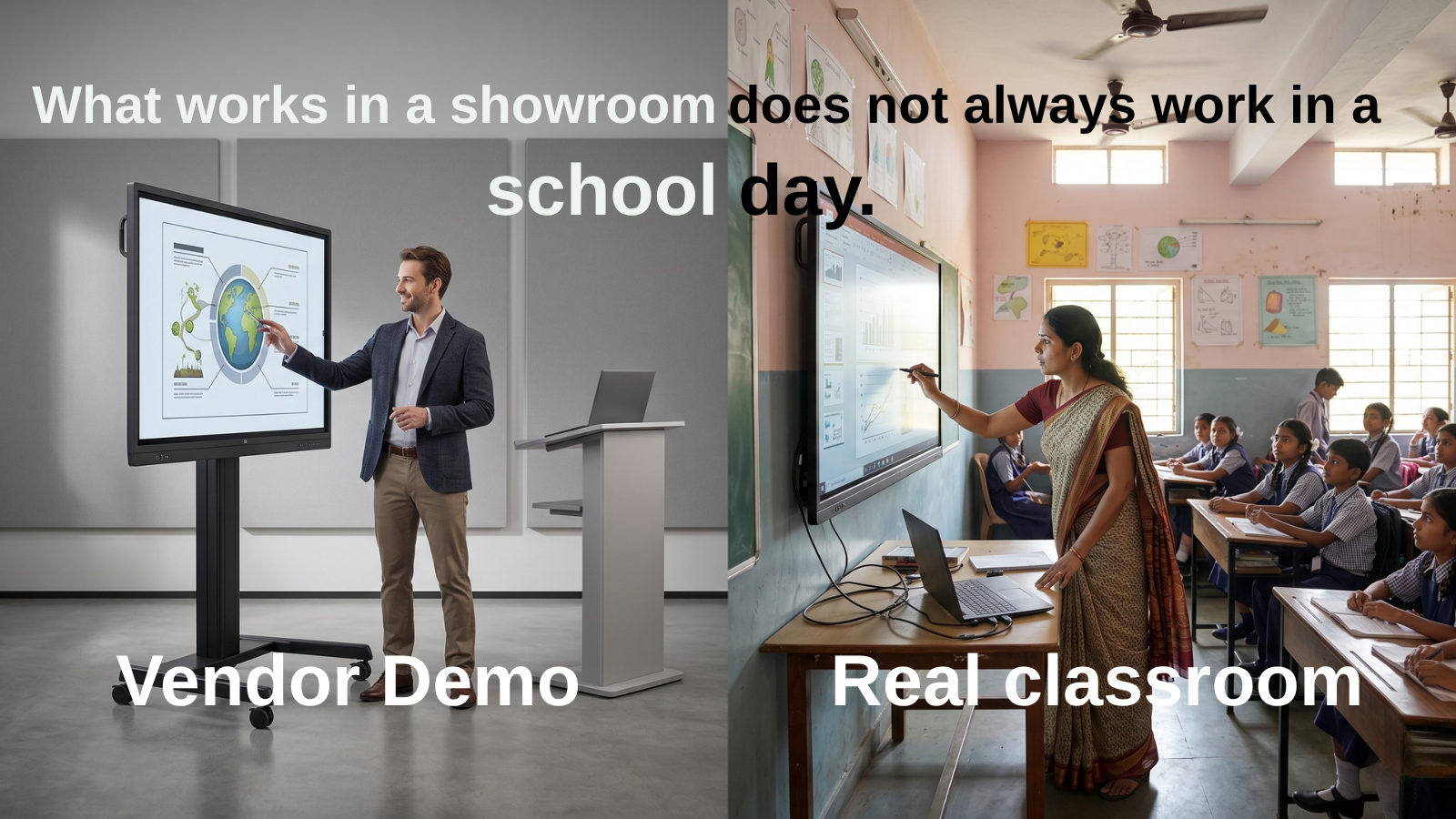
Do not accept a demo made only of YouTube, a PDF and digital ink. That is not a classroom workflow. That is a showroom magic trick.
1) ViewSonic
Best overall for schools wanting a broad classroom ecosystem
ViewSonic is one of the strongest all-round options for schools in India.
It combines hardware with a well-built classroom software story.
Its ViewBoard range is built around:
- digital whiteboarding
- multimedia teaching
- classroom collaboration
- cloud access
- central management
- Google-ready use on selected models
Why schools shortlist ViewSonic
- Strong education focus in India
- Wide classroom-ready product range
- myViewBoard adds value beyond hardware
- Good for schools that want the same setup across many rooms
- Several models support modern teaching workflows
Best fit
ViewSonic is a strong fit for:
- private K–12 schools
- multi-campus schools
- schools moving beyond one pilot room
- leadership teams that want both ease of use and flexibility
Watch-out
Do not assume every ViewSonic model is the same.
The range is broad, so schools should compare the exact model, operating system, and software depth before choosing.
C3 take
If a school wants a strong all-round shortlist option with a good ecosystem story, ViewSonic stays near the top.
2) SMART
Best for teaching workflow and classroom software
SMART is one of the most education-focused names in this space.
That matters.
Some brands still feel like meeting-room products dressed up for schools.
SMART feels more classroom-first.
Why schools shortlist SMART
- Strong education-first design
- Classroom software is a real strength
- Good for teachers who write, save, reuse, and build lesson flow on the board
- A strong option for schools that care about teaching, not just panel size
Best fit
SMART is ideal for:
- schools that want strong teaching workflow support
- leadership teams thinking beyond launch day
- classrooms where digital lesson delivery is central
Watch-out
If your school only needs:
- HDMI display
- basic annotation
- occasional use
SMART may be more than you need.
C3 take
If your priority is education-first software, SMART deserves serious attention.
3) BenQ
Best for Google Workspace-led schools
BenQ makes a strong case for schools that already work in a cloud-first way.
If your teachers regularly use:
- Google Drive
- Google Slides
- Google Docs
- browser-based lessons
- shared digital resources
BenQ becomes a natural brand to compare.
Why schools shortlist BenQ
- Clear Google-friendly direction
- Strong fit for cloud-based teaching
- Familiar workflow for teachers already using shared digital content
- Good for schools that want less file friction
Best fit
BenQ works especially well for:
- Google Workspace schools
- digitally mature campuses
- teachers already used to shared cloud content
- classrooms where lesson files live online
Watch-out
BenQ works best when the school already has decent digital habits.
If staff still depend on scattered files and weak login habits, its full value may not show.
C3 take
For Google-first schools, BenQ belongs on the shortlist early.
4) Newline
Best emerging EDLA-based interactive display option
Newline is a good shortlist brand for schools that want a newer display with Google-aligned positioning.
It is useful for schools that want to compare beyond the usual three brands without going into unknown territory.
Why schools shortlist Newline
- Modern Google integration direction
- Clear education positioning
- Useful for schools exploring newer EDLA-ready workflows
- A fresh shortlist option without being too unfamiliar
Best fit
Newline is worth evaluating for:
- schools wanting a fresh option
- campuses leaning toward Google-based teaching
- buyers open to testing newer contenders carefully
Watch-out
In India, product quality alone is never enough.
Also ask:
- Who will demo it?
- Who will install it?
- Who will train the teachers?
- Who will support it later?
C3 take
Newline looks promising, but local execution matters just as much as the product.
5) MAXHUB
Best value-led shortlist option for schools
MAXHUB comes into the picture when schools want a broader value-led comparison.
It has enough visibility and education positioning to earn a place on the shortlist.
Why schools shortlist MAXHUB
- Can look attractive in value-conscious buying cycles
- Education smartboard positioning helps it enter school discussions
- Can be appealing in multi-room projects
- Useful in a side-by-side comparison
Best fit
MAXHUB can suit:
- schools with tighter budgets
- institutions balancing cost and features
- teams comparing several vendors at once
Watch-out
Do not let a showroom demo decide the deal.
A panel that looks smooth in a meeting room may still struggle in:
- a noisy classroom
- a rushed period change
- a tired teacher’s first class of the day
C3 take
MAXHUB should be tested in real classroom conditions before scale.
6) Optoma
Best alternate IFPD brand to compare in India
Optoma is not always the first name schools mention.
But it is credible enough to be part of a serious comparison.
That makes it useful when commercial terms and local support start to matter.
Why schools shortlist Optoma
- Visible education IFPD positioning
- Useful alternate brand beyond the usual shortlist
- Can improve the quality of a commercial comparison
- Worth checking if local support is strong
Best fit
Optoma suits:
- schools wanting a broader shortlist
- institutions comparing multiple dealer offers
- teams wanting one more solid option before deciding
Watch-out
As always, the rollout partner matters as much as the panel.
C3 take
Optoma is worth comparing, but only with a proper support check.
How to choose the best interactive display for your school
Here is the blunt version.
Choose ViewSonic if:
You want the strongest all-round mix of software, classroom flexibility, and rollout potential.
Choose SMART if:
You want a strong teaching workflow and education-first software.
Choose BenQ if:
Your school already runs heavily on Google Workspace and cloud-based lesson delivery.
Choose Newline if:
You want a newer EDLA-ready option and are ready to check support carefully.
Choose MAXHUB if:
You are running a value-led comparison and want to assess all-in-one classroom options.
Choose Optoma if:
You want one more serious IFPD brand in the commercial comparison.
What schools in India should compare before buying an interactive display
This is where many buying teams go wrong.
They compare:
- size
- resolution
- Android version
- quote value
But they miss the things that decide real classroom use.
1. Startup speed
Can a teacher begin class quickly?
2. File compatibility
Can it open:
- PowerPoint
- Google Slides
- PDFs
- videos
- web content
without turning every class into a file-format problem?
3. Whiteboarding and annotation
How easy is it to write, save, reopen, and reuse content?
4. Google and Microsoft support
Does it fit the workflow your school already uses?
5. Central IT management
Can your IT team manage many devices without running around the building?
6. Training after installation
Who helps teachers after day one?
7. Service support in India
What happens after the ribbon-cutting photo?
If you are setting up Smart Classrooms for your school, then this guide has helped many School leaders like you.
Questions every principal, coordinator, or IT admin should ask in a demo
Use this in every demo.
Demo checklist
- Can teachers open their usual lesson files directly?
- How long does startup take from a cold start?
- Can annotations be saved and reused?
- Is cloud access easy and secure?
- How does login work in shared classrooms?
- Can IT teams manage devices centrally?
- What training is included after installation?
- What is the local support process?
- Can the school run a pilot before full rollout?
That last question is the one adults ask.
Everyone else buys on hope.
How Indian schools can shortlist interactive displays in 30 days
Here is a simple way to run a smarter evaluation.
Week 1: Define the classroom use case
Decide whether the display is mainly for:
- Teacher presentation
- Interactive teaching
- Digital whiteboarding
- Hybrid learning
- Shared content delivery
- Visual teaching for rich subjects
Week 2: Shortlist 3 brands
Do not live-evaluate six brands.
Shortlist three.
A sensible mix is:
- One ecosystem leader
- One education-first software brand
- One value-led option
Week 3: Run real demos
Do not let vendors control the script.
Ask them to:
- Open your files
- Use your internet
- Follow your teaching flow
- Simulate a normal class start
Week 4: Pilot one classroom
If possible, run a live pilot before full rollout.
Because demos sell in January.
Usage decides July.
How C3 helps schools shortlist the right interactive display
At C3 iT Xperts, we help schools shortlist interactive displays through a sharper lens:
Classroom fit, not catalogue noise.
Most buying teams are shown the same things:
- Panel size
- Android version
- Touch points
- Whiteboarding features
- Commercial offer
Those matter.
But they do not decide long-term success.
What decides success is whether the display fits the way a school teaches, supports teachers in daily use, and holds up after rollout.
That is how we help schools compare options.
We look at:
- How quickly teachers can start class
- How well the display fits Google or Microsoft workflows
- How reliably lesson files open in real classroom conditions
- How much teacher training is needed after installation
- How practical the display is to manage across multiple rooms
- How dependable support will be after rollout
In other words, we do not help schools choose the most impressive demo.
We help them choose the display most likely to work across real classrooms, real teachers, and real school routines.
Because the wrong panel usually does not fail in the first meeting.
It fails quietly over the next 90 school days.
That is where a smarter shortlist matters.
Still comparing interactive display brands for your school?
Most schools do not need more demos.
They need a smarter shortlist.
If your team wants to compare brands based on classroom fit, teacher usability, software, and rollout confidence, we can help you evaluate the options with less noise and more classroom logic.
Book a Smart Classroom Display Shortlisting Call
Frequently asked questions about interactive displays for schools in India
Which interactive display is best for schools in India?
For many private K–12 schools, the strongest shortlist usually includes ViewSonic, SMART, and BenQ, with Newline, MAXHUB, and Optoma also worth evaluating depending on use case, ecosystem needs, and support confidence.
What is an interactive flat panel display?
An interactive flat panel display is a large touchscreen used in classrooms for writing, presenting, annotating, and opening digital learning content without needing a projector.
Are interactive displays better than projectors for schools?
In many classrooms, yes. They often give better clarity, touch interaction, whiteboarding, and an all-in-one teaching workflow. But the right choice still depends on room type, budget, and use case.
Which interactive display brands are popular in Indian schools?
The major brands commonly discussed in India include ViewSonic, SMART, BenQ, Newline, MAXHUB, and Optoma.
What should schools compare before buying an interactive display?
Schools should compare:
- daily usability
- software
- file compatibility
- cloud workflow support
- central management
- training
- local support
What size interactive display is best for a classroom?
Many schools compare 65-inch and 75-inch displays for standard classrooms, though the right size depends on room dimensions and viewing distance.
| Typical class size | Suggested panel size | Practical reason |
|---|---|---|
| Up to 25 students | 65-inch | Suitable for smaller classrooms and shorter viewing distances |
| 26–40 students | 75-inch | Gives better visibility across a standard classroom |
| 41–60 students | 86-inch | Helps students at the back read lesson content clearly |
| 60–75 students | 86–98-inch | Requires a room-specific viewing-distance assessment |
Class strength alone should not decide panel size.
Also check room depth, mounting height, font size, and the viewing position of the farthest student.
Final verdict
If you want the cleanest answer, here it is:
- Best overall interactive display for schools in India: ViewSonic
- Best for teaching software and classroom workflow: SMART
- Best for Google Workspace-led schools: BenQ
- Best emerging EDLA option: Newline
- Best value-led shortlist option: MAXHUB
- Best alternate brand to compare: Optoma
The right choice is not the one with the prettiest brochure.
It is the one your teachers will still use after the first month.
About the Author

Manoj Sundaram
Founder @ C3 iT Xperts
I help K–12 leaders turn "dusty" classroom tech into a daily teaching habit. 18 years and 11,000 classrooms have taught me that the best tech is the tech that "disappears" into the teaching rhythm.
18+
Years Experience
11k+
Classrooms
40k+
Educators Impacted
- Smart Classrooms,
- Interactive Flat Panel Displays,
- Interactive Flat Panel India,
- School Technology Buying Guide,
- Education Technology India,
- K-12 Education Technology
.jpg)