.png?width=1322&height=350&name=C3ITXperts-logo-R%20(1).png "C3ITXperts-logo-R (1)")


Updated August 19th 2026
Your school is ready to buy an interactive smartboard.
The vendor sends a specification sheet.
It lists screen size, resolution, touch points, Android version, RAM, storage, speakers, ports, cameras, software, and warranty terms.
Everything looks impressive.
But one question is still unanswered:
Which specifications will actually help a teacher deliver a better lesson?
A smartboard specification is valuable only when it solves a real classroom problem.
A school does not need the longest specification sheet.
It needs the right combination of display quality, touch response, audio, connectivity, software, support, and teacher usability.
This guide explains the typical interactive smartboard specifications schools should compare before buying.
It is written for principals, school owners, academic coordinators, IT teams, and teachers who want to make a confident decision.
You will learn how to:
- Choose the right display size
- Compare resolution and brightness
- Test touch performance
- Check ports and connectivity
- Evaluate audio and accessibility
- Understand operating systems and OPS computers
- Review software and device management
- Test the product with real teachers
- Calculate the full cost of ownership
If you are planning a complete classroom system, read What Technology Does a Smart Classroom Actually Need?.
What is an interactive smartboard?
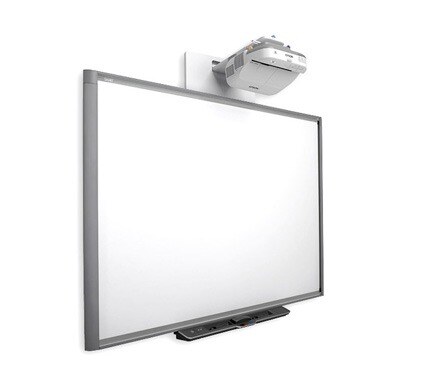
An interactive smartboard is a large touch-enabled display used to present, write on, share, and work with digital lesson content. The specifications below focus on what affects real classroom use.
The specifications that matter most
Priorities screen size, resolution, brightness, touch response, operating system, connections, audio, accessibility, management, support, training, and total cost of ownership.
The best specification sheet is the one that matches the school’s actual teaching workflow.
Screen size: choose for the room, not the brochure
Screen size is one of the first specifications buyers notice.
But the biggest screen is not automatically the best screen.
The right size depends on:
- Classroom length
- Seating arrangement
- Number of students
- Viewing distance
- Type of content
- Wall space
- Viewing angles
- Ambient light
As a starting point, schools often compare:
- 65 inches: smaller classrooms and groups of up to around 25 students
- 75 inches: standard classrooms with around 30–40 students
- 86 inches: larger rooms or longer viewing distances
- 98 inches or larger: specialist rooms, lecture spaces, or large teaching areas
These are starting points, not fixed rules.
The best test is practical.
Place normal lesson content on the display and ask a student in the last row to read:
- A paragraph
- A diagram label
- A chart heading
- A mathematical expression
- A small instruction
If the student cannot read it, the school may need a larger screen, a different seating plan, or better-designed content.
Do not judge a display from the front of the room alone.
Resolution: what does 4K actually mean?
Resolution describes the number of pixels on the screen.
A common 4K UHD display uses 3840 × 2160 pixels. That is approximately 8.3 million pixels.
Full HD commonly uses 1920 × 1080 pixels.
More pixels can provide:
- Sharper text
- More detailed diagrams
- Clearer maps
- Better visual demonstrations
- More working space on one screen
- Greater detail in high-quality video
However, 4K is not a complete classroom specification.
A 4K display may still have:
- Poor speakers
- Weak touch response
- Difficult software
- Limited ports
- Poor viewing angles
- Unreliable screen sharing
- Weak service support
The school should also remember that a 4K display cannot create detail that is missing from a low-quality image or video.
Use the resolution that supports the school’s content, screen size, and viewing distance.
Brightness and anti-glare performance
Classrooms are not dark home theatres.
They may have:
- Windows
- Tube lights
- Ceiling lights
- Daylight from different directions
- White walls that reflect light
- Students sitting at different angles
A display should remain readable in the actual room where it will be installed.
Ask the supplier to demonstrate:
- Black text on a white background
- Coloured diagrams
- Video scenes with dark detail
- Small labels
- Slides under normal classroom lighting
Check whether students can read the screen without leaning forward or moving seats.
Anti-glare glass can help, but it should be tested rather than accepted as a brochure claim.
The key question is not, “How bright is the display?
It is:
Can students read the lesson comfortably at different times of the day?
Touch specifications: more points are not always better
Interactive displays often advertise the number of simultaneous touch points.
A specification may say 10, 20, 40, or more touch points.
More touch capacity can be useful, but schools should ask how many people will realistically use a wall-mounted display at the same time.
For many classrooms, the important touch questions are:
- Does writing feel natural?
- Does the pen respond without delay?
- Can the teacher write while another object is being moved?
- Does the display recognise a finger, pen, and palm correctly?
- Can students work together without accidental inputs?
- Is the writing accurate near the edges?
- Can users erase without opening a menu?
- Can the teacher undo a mistake quickly?
A high touch-point number does not guarantee a good teaching experience.
Test real writing, real diagrams, and real student interaction.
Pen, finger, and palm rejection
A useful interactive smartboard should understand different types of contact.
For example:
- A pen may write
- A finger may move an object
- A palm may rest on the surface without creating unwanted marks
- A gesture may zoom or rotate content
This is sometimes called object awareness or palm rejection.
It matters because teachers should not have to stop the lesson to change tools manually.
Ask the teacher to:
- Write a sentence
- Rest a hand on the display
- Move an object
- Erase part of the work
- Undo the last action
- Save the page
- Reopen the saved work
A short product demonstration may hide problems. A real lesson test will show them.
Operating system: Android, Windows, ChromeOS, or something else?
The operating system affects what teachers can open and how they work.
Many interactive panels include a built-in Android environment.
This may support:
- Whiteboarding
- Web browsing
- Video playback
- Basic applications
- Screen sharing
- Simple content access
However, some schools still need a full desktop operating system for:
- Windows applications
- Advanced PowerPoint features
- Specialist subject software
- Assessment systems
- Desktop file management
- External devices
A school may provide:
- A teacher laptop
- A Chromebook
- An OPS computer installed inside the panel
- A shared classroom computer
The correct choice depends on the school’s workflow.
Do not add an OPS computer simply because it appears in a vendor bundle.
First ask what software the teacher needs to run.
RAM and storage: compare with the actual workload
RAM and internal storage are often highlighted in smartboard specifications.
More RAM may help the built-in operating system manage several applications. Storage may allow files and applications to be held locally.
But schools should ask:
- Will teachers store lesson files in the school cloud?
- Will the panel run video or 3D content?
- Will several applications be open together?
- Is the internal storage centrally managed?
- What happens when the device is replaced?
- Can the school recover content if the panel fails?
Lesson resources should normally belong to the school and be stored in a managed location, not only inside one panel.
The device should provide access to content. It should not become the only place where content exists.
Connectivity and ports
Connectivity determines how easily teachers can use the display with their existing devices.
A classroom display may include:
- HDMI inputs
- USB data ports
- USB-C
- Network port
- Wi-Fi
- Bluetooth
- Screen-sharing support
- Audio input and output
- HDMI output for specific use cases
The school should check more than the number of ports.
Ask:
- Can teachers reach the ports after wall mounting?
- Does USB-C support video, touch, charging, or only data?
- Can the display connect reliably to school laptops?
- Does wireless sharing work across the school network?
- Can multiple devices be managed securely?
- What happens when a teacher brings a different device?
A port that cannot be reached or does not support the expected function creates frustration.
Wireless screen sharing
Wireless sharing can allow a teacher or student to display content without searching for adapters.
It can support:
- Teacher presentations
- Student work
- Group comparisons
- Remote participants
- Device-to-panel collaboration
But it must be tested on the school’s actual network.
A wireless sharing feature may work perfectly in a supplier showroom and fail when many classrooms share the same network.
Test:
- Connect a teacher device.
- Connect a student device.
- Switch between devices.
- Stop sharing.
- Reconnect after the screen goes to sleep.
- Try the process when the network is busy.
Ease of connection is more valuable than a long feature list.
Audio and microphone specifications
A screen can look excellent and still fail the classroom if students cannot hear.
Check:
- Speaker power
- Speech clarity
- Audio coverage
- Distortion at normal volume
- Video dialogue
- Microphone compatibility
- Echo and feedback
- Connection to external speakers
For a classroom of 25-40 students, the built-in speakers may be enough if the room has suitable acoustics and the audio is evenly distributed.
Larger rooms may require:
- Ceiling speakers
- Wall speakers
- Wireless microphones
- Headset microphones
- An amplifier
- Acoustic treatment
The goal is not maximum volume.
The goal is that students in the back can hear normal teacher speech without the teacher shouting.
Camera and remote-learning support
A camera is useful only when the school has a clear purpose for it.
Possible uses include:
- Connecting a remote guest speaker
- Supporting a student who is absent
- Teaching across campuses
- Recording a lesson
- Running hybrid learning
- Reviewing teaching practice
Ask:
- Does the camera show the teacher clearly?
- Can remote participants hear student questions?
- Is the lesson content visible?
- Does the microphone reduce echo?
- Are consent and privacy processes clear?
- Who can access recordings?
- How long are recordings stored?
Do not add a camera simply because a premium smartboard includes one.
Buy the camera when the school has a defined use and a responsible process.
Software and interactive whiteboarding
Software can determine whether the display becomes part of the teaching system or remains a basic screen.
Compare:
- Digital whiteboard tools
- Annotation
- Saving and reopening pages
- Templates
- Lesson libraries
- Screen recording
- Polls and quizzes
- Student collaboration
- Cloud integration
- Google Workspace support
- Microsoft support
- Assessment connections
Ask whether the software is:
- Included permanently
- Included for a limited time
- Charged per device
- Charged per teacher
- Charged per student
- Dependent on a cloud subscription
A feature that teachers rarely use is not automatically valuable.
The school should choose software that fits its teaching workflow and support capacity.
Accessibility specifications
Accessibility should be part of the specification review, not a last-minute addition.
Check whether the system supports:
- High contrast
- Readable text scaling
- Captions
- Transcripts
- Clear classroom audio
- Visual reinforcement of spoken instructions
- Multiple ways for students to respond
- Comfortable viewing angles
- Compatible hearing support where required
The school should also check whether teachers can create accessible content easily.
A technically advanced display is not accessible if teachers cannot use the accessibility features during a real lesson.
Device management and security
One classroom display may be easy to manage manually.
Fifty displays are different.
For multiple classrooms, the IT team may need to:
- Approve applications
- Block unsafe applications
- Manage user accounts
- Schedule updates
- Lock key settings
- Monitor device health
- Provide remote support
- Protect school data
- Reset devices securely
Ask whether the smartboard can work with the school’s existing management approach.
Also ask:
- Who owns the administrator account?
- What happens when a staff member leaves?
- Can personal accounts be removed easily?
- How is student data protected?
- Can the school recover from a compromised device?
Security and management are part of the specification, even when they are not printed beside screen size.
Warranty, support, and teacher training
A smartboard is not a one-day purchase.
The school should understand:
- Warranty duration
- Panel replacement process
- Spare-part availability
- Service response time
- On-site support
- Remote support
- Software update policy
- Teacher training after installation
- Refresher training
- Escalation contacts
Ask the supplier to explain what happens after the first month.
A launch-day demonstration is not enough.
Teachers need support while they are using the system with real students and real time pressure.
How to test a smartboard before buying
Do not choose a product from a scripted demonstration.
Ask the supplier to start the board, open real PowerPoint files, PDFs, videos, images, and cloud lessons, annotate and save the work, connect a teacher and student device, run a quick response, recover from a weak connection, and reset the room.
Test with a confident teacher, a cautious teacher, an IT administrator, and a student. Record start-up time, file compatibility, touch response, audio clarity, support response, and ease of saving work.
A simple 30-day smartboard evaluation plan
1: Define the school’s problems
Write down what needs to improve:
- Visibility
- Student participation
- Teacher explanation
- Lesson start time
- Audio clarity
- Digital content access
- Collaboration
- Assessment
- Accessibility
Choose one or two priorities.
2: Shortlist three systems
Compare:
- One strong ecosystem option
- One education-focused option
- One value-led option
Compare the complete solution, not only the panel.
3: Use real lessons
Ask teachers to use their own files with real students.
Track:
- Start up time
- File compatibility
- Touch response
- Audio clarity
- Student participation
- Technical interruptions
- Ease of saving work
- Support response
4: Review the evidence
Ask teachers:
- What became easier?
- What remained difficult?
- Which feature was genuinely useful?
- What would stop you using the board next term?
- What support is still required?
Make the decision based on evidence, not the most attractive presentation.
How to calculate the full cost of ownership
The purchase price is only the beginning.
Include mounting, installation, power protection, network preparation, teacher devices, software subscriptions, cloud accounts, training, support, repairs, replacement planning, content creation, and adoption reviews.
A low quote may exclude the items that determine long-term classroom use.
Use C3 iT Xperts’ interactive flat panel price guide for Indian schools to compare the full cost, not only the panel price.
Smartboard specification checklist for school leaders
Before approving the purchase, confirm that the proposal answers these questions:
- Is the screen size suitable for the room?
- Can students in the back row read normal lesson content?
- Is the display readable under normal classroom lighting?
- Is writing accurate and responsive?
- Can the panel recognize pen, finger, and palm use?
- Can teachers open their normal files?
- Are the required HDMI, USB, USB-C, network, and audio connections available?
- Is wireless sharing reliable on the school network?
- Is the audio clear from every part of the room?
- Can the school manage devices centrally?
- Are captions, transcripts, contrast, and scaling available?
- What software is included and what requires renewal?
- Who owns the administrator accounts and lesson content?
- What happens when the panel or software fails?
- What training happens after installation?
- Can the school run a real classroom pilot?
Frequently asked questions
What are the most important interactive smartboard specifications?
The most important specifications are the ones that affect daily classroom use: screen size, viewing distance, readability, touch response, teacher-device compatibility, audio, connectivity, software, accessibility, device management, warranty, support, and training.
Is a higher resolution always better for a classroom?
Not always. Higher resolution can improve detail, but the result also depends on screen size, viewing distance, content quality, brightness, glare, and how teachers use the display.
About the Author

Manoj Sundaram
Founder @ C3 iT Xperts
I help K–12 leaders turn "dusty" classroom tech into a daily teaching habit. 18 years and 11,000 classrooms have taught me that the best tech is the tech that "disappears" into the teaching rhythm.
18+
Years Experience
11k+
Classrooms
50k+
Educators Impacted