.png?width=1322&height=350&name=C3ITXperts-logo-R%20(1).png "C3ITXperts-logo-R (1)")


What Principals Must Check Before Asking for Quotations
A smart classroom conversation often begins with a product request.
“Please suggest a 75-inch interactive panel and send your best price.”
But before any school asks for quotations, there is a more important question:
Is the school actually ready for a smart classroom?
Budget alone does not prove readiness. A new panel in a nearby school does not prove readiness. An attractive quotation does not prove readiness.
A smart classroom is not just a screen on a wall. It is a teaching system that depends on clear academic goals, teacher workflows, classroom conditions, reliable infrastructure and practical support.
That is why we recommend a readiness check before any buying decision is made.
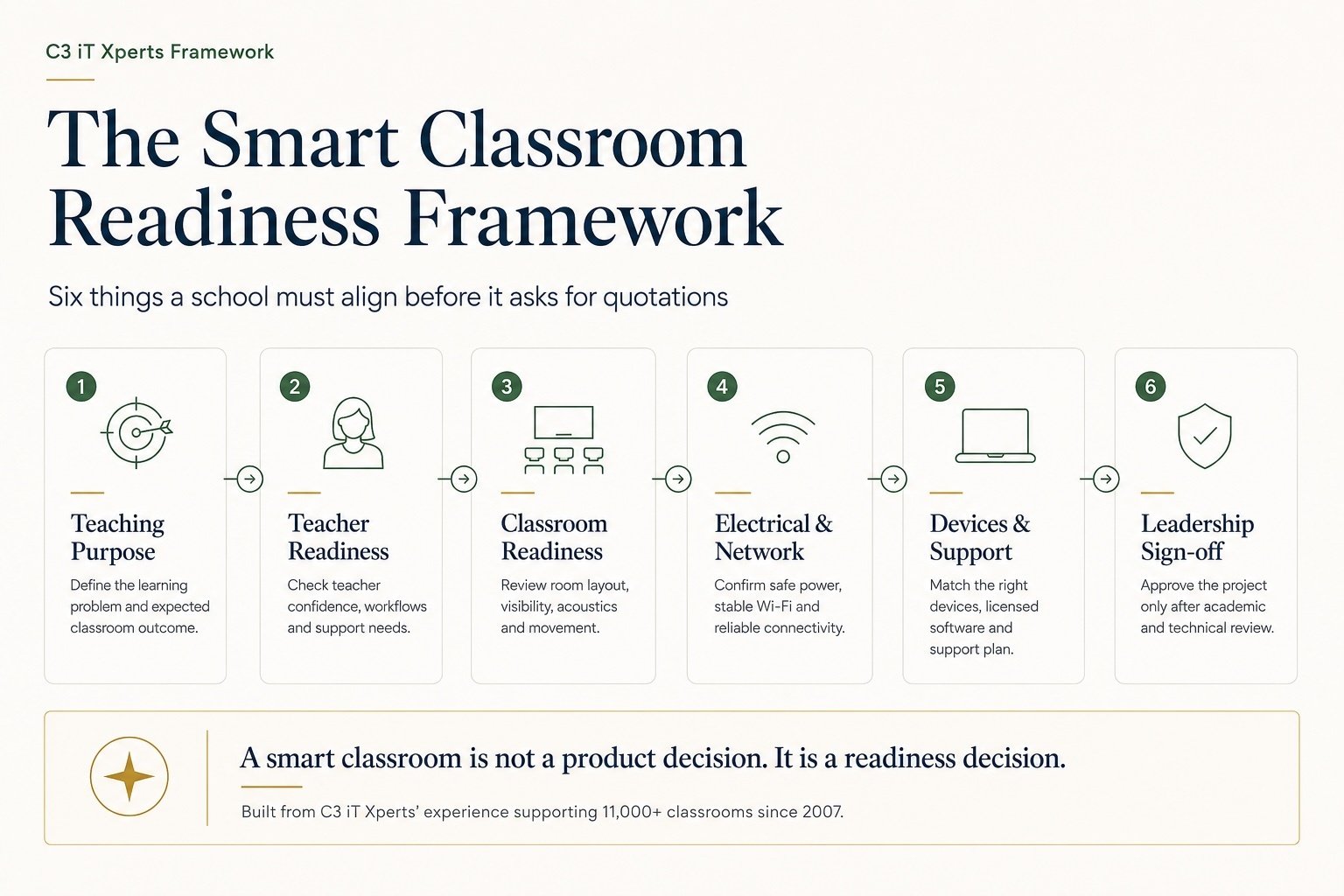
This article explains what Principals, academic leaders and IT teams should review before moving ahead. It also shows the six areas we assess at C3 iT Xperts to help schools avoid costly mistakes and build classrooms that teachers can use with confidence every day.
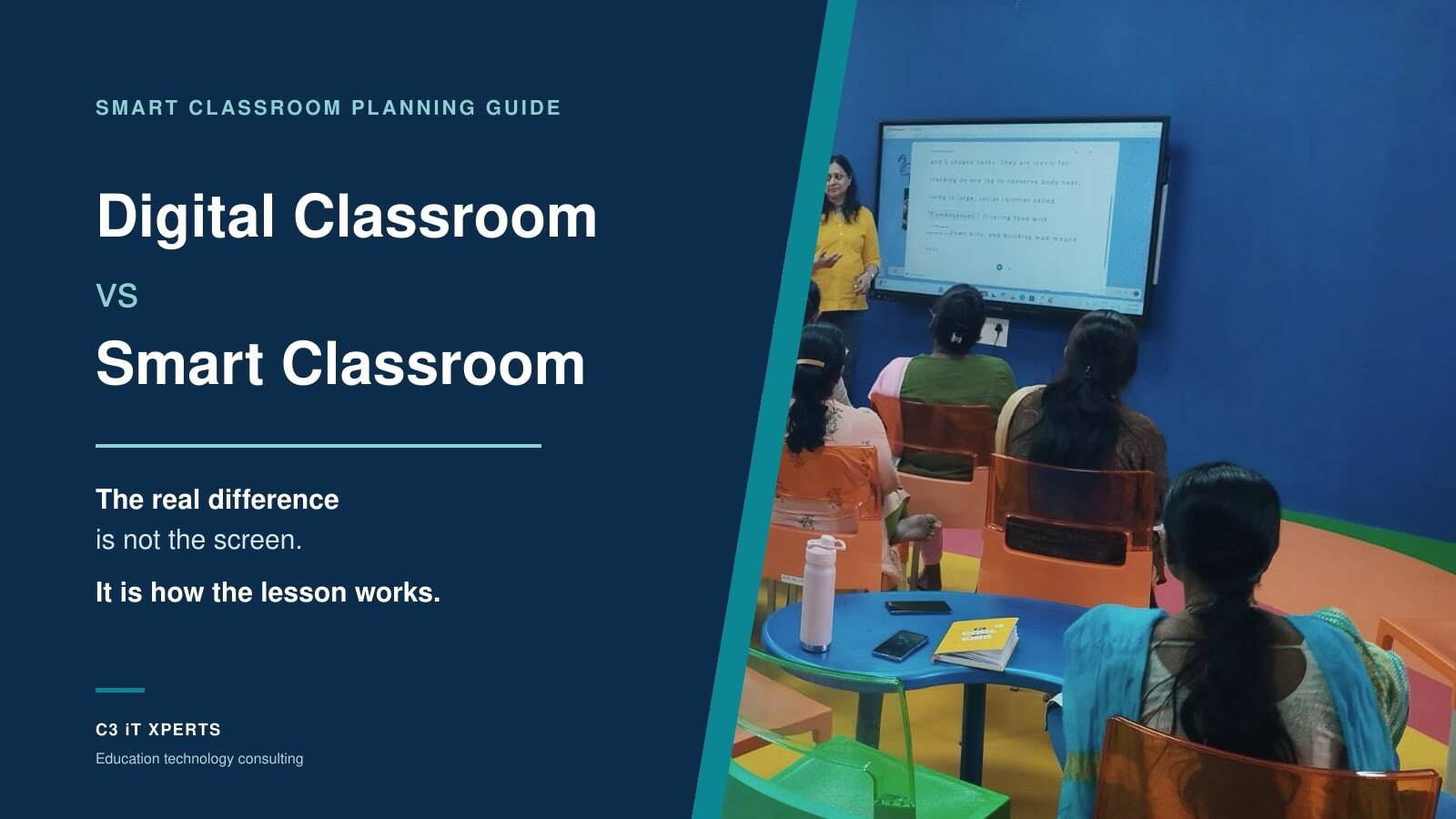
Schools beginning this journey can first read our Smart Classroom Planning Guide for Indian Schools.
1. Teaching Goals Before Buying a Smart Classroom
The first discussion should not be about screen size.
It should be about teaching.
The Principal and academic team should ask:
- What teaching problem are we trying to solve?
- What should become easier for teachers?
- What should students be able to do?
- Which grades and subjects will use the system?
- How will we know the investment is helping?
Possible goals may include:
- Explaining difficult ideas with visuals
- Improving student participation
- Writing over digital content
- Using quizzes during lessons
- Showing science models or maps
- Replacing old projector systems
- Sharing lesson resources more easily
Without a clear teaching goal, the school will compare only features and prices.
That is equipment buying, not Education Technology planning.
Schools should also understand the difference between a smart classroom and a digital classroom.
Who should take part?
The discussion should involve:
- Principal
- Academic coordinator
- Heads of department
- Selected teachers
What should the academic team confirm?
The team should document:
- Grades and subjects included
- Teaching problems to solve
- Expected teacher workflows
- Student participation methods
- Digital-content requirements
- Training needs
- Measures of success
The school should be able to answer two questions:
What will teachers do better?
What will students do better?
When those answers are unclear, the school is not ready to select a product.
2. Teacher Readiness
Teachers do not need to choose processors, ports or network switches.
But they must help define what the technology should do.
Teachers can explain:
- How they begin a lesson
- How they prepare content
- How they write and draw
- How they use video
- How students respond
- Where lesson time is lost
- What support they need
The technical team can then translate those needs into the right solution.
Smart classroom readiness is not a technology test
Teachers do not need to master every feature.
They should be able to:
- Start the system quickly
- Open lesson content
- Write on the display
- Move between tools
- Play audio and video
- Correct a simple error
- Get help when needed
The system should work for the everyday teacher, not only for the technology champion.
A simple teacher-readiness method
We normally speak with teachers in three groups.
Confident users
These teachers already use digital tools.
They help identify:
- What is working
- Which tools teachers prefer
- What more may be possible
- Who could support colleagues
Teachers who need a nudge
These teachers are willing to try but may need:
- Simple training
- Time to practise
- Clear steps
- Ready lesson examples
- Support during the first few weeks
Training should focus on classroom tasks, not a tour of every product feature.
C3 iT Xperts supports schools through teacher training and professional development.
Teachers who are unsure
These teachers may have experienced:
- Slow systems
- Failed projectors
- Weak Wi-Fi
- Difficult login steps
- Old computers
- Poor training
- No support during class
Their concerns should not be dismissed.
They often reveal risks that enthusiastic users may miss.
All three groups matter because their feedback shapes the training, rollout, and support plan.
3. How to Check If a Classroom Is Ready for Smart Technology
No two classrooms are the same.
One room may have glare. Another may have a weak wall. One may have strong Wi-Fi. Another may have a dead zone.
Each classroom must be assessed separately.
What should be checked?
The classroom review should include:
- Room size and seating layout
- Distance to the last row
- Light and glare
- Teacher movement
- Existing board space
- Power and network points
- Wi-Fi signal
- Sound needs
- Wall type
- Cable path
- Service access
A classroom is not a showroom.
The installation must work when the room is full, and the teacher is conducting a real lesson.
Wall and mounting checks
The installation and facilities teams should confirm:
- Wall strength and material
- Safe load limit
- Mounting height
- Teacher reach
- View from the last row
- Glare from windows and lights
- Cable access
- Repair access
The panel should not be mounted so high that it looks neat but becomes uncomfortable to use.
Useful blackboard or whiteboard space should also be protected.
A new display does not make traditional writing surfaces obsolete.
Schools can explore our wider classroom technology approach.
4. Electrical and Network Readiness
A socket on the wall is not proof of electrical readiness.
A Wi-Fi symbol on a phone is not proof of network readiness.
Both systems must be properly tested.
Electrical safety
The electrical team should confirm:
- Safe earthing
- Stable power
- Correct electrical load
- Safe sockets
- Surge protection
- Backup power needs
- Safe cable paths
- No exposed wiring
- No loose extension boards used permanently
Unsafe electrical work is a reason to delay the project.
Network readiness
A weak network becomes a teaching problem when:
- Videos stop
- Pages fail to load
- Applications log out
- Teachers lose time
- Students lose focus
The network team should check:
- Internet speed
- Local network speed
- Wi-Fi in every classroom
- Number of connected devices
- Access-point capacity
- Wired points where required
- Firewall and content-filter rules
- Backup internet options
- IT response time
Testing should happen during normal school hours.
A network that performs well after students and staff have gone home proves very little.
Field note: Test the real network, with real classes and real usage.
5. How to Check Devices, Software and Support Before Installation
A new panel connected to an old computer often creates a poor experience.
The panel may be current, but the computer may:
- Start slowly
- Freeze during lessons
- Struggle with video
- Run an unsupported operating system
- Miss security updates
The teacher may then blame the panel, even when the connected computer is the real problem.
Device check
The IT team should review:
- Age of the computer
- Processor
- Memory
- Storage
- Start-up time
- Operating-system support
- HDMI and USB ports
- Wi-Fi support
- Security updates
- Repair history
- Expected remaining life
The same review should cover:
- Teacher laptops
- Tablets
- Document cameras
- Visualisers
- Speakers
- Other connected devices
Software check
Operating systems and applications should be:
- Licensed
- Updated
- Secure
- Compatible
- Supported
Unlicensed software increases the risk of:
- Security incidents
- Missing updates
- Application failures
- Login problems
- Data loss
- Lost lesson time
Support check
Before the first panel goes live, the school should know:
- Who supports the network
- Who manages user accounts
- How updates will be handled
- Where warranty records are stored
- Who the service contact is
- What the repair process is
- What response time teachers can expect
One question matters most:
Who helps the teacher when something fails during class?
The teacher should not become the network engineer, AV technician and software administrator in the middle of a lesson.
Teachers must teach.
Support must remain backstage.
After installation, schools can use our 90-Day Smart Classroom Stabilisation Plan.
6. Leadership Approval
Smart classroom readiness is a shared responsibility.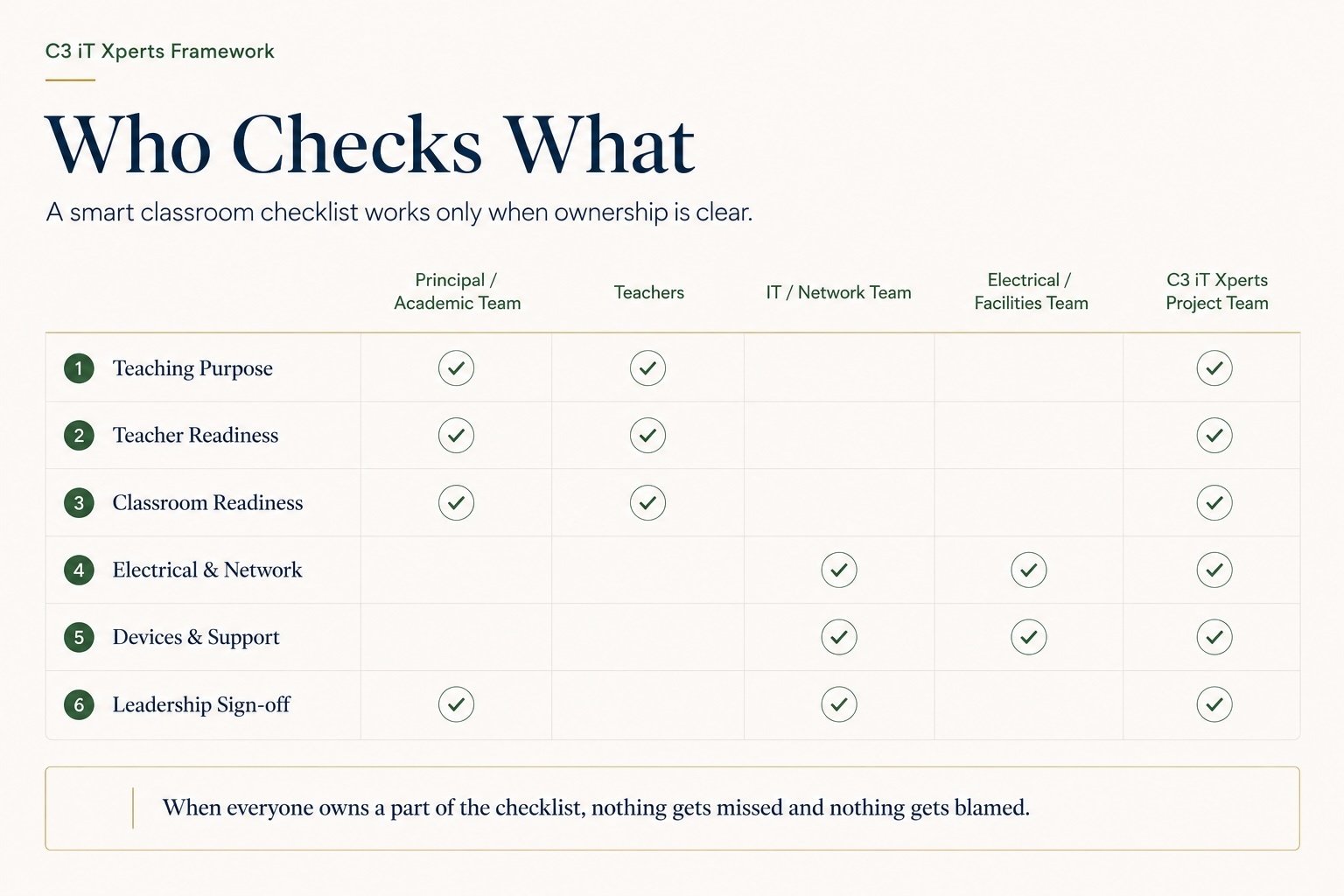
Who checks what?
| Team | Main responsibility |
|---|---|
| Principal and academic team | Teaching purpose, grades, subjects, teacher involvement and training |
| Teachers | Lesson flow, content needs, classroom challenges and support needs |
| IT and network team | Internet, Wi-Fi, cabling, devices, accounts, security and support |
| Electrical and facilities team | Earthing, power, wall strength, mounting safety and cable routes |
| C3 iT Xperts project team | Gap analysis, solution planning, priorities and adoption planning |
Our role is not to begin with a product recommendation.
We first consolidate the academic, teacher, classroom, electrical, and IT findings into a single readiness view.
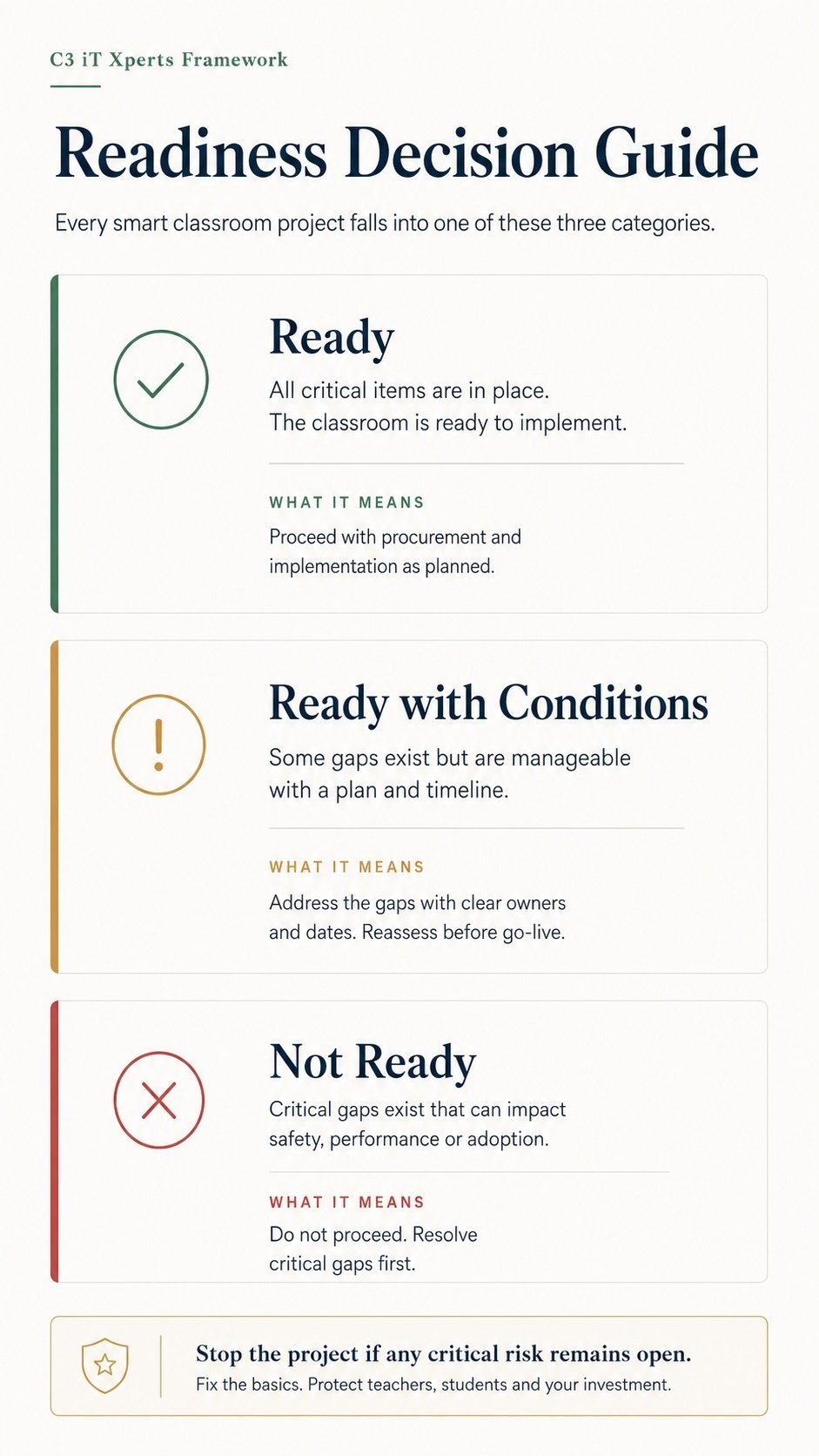
Use three readiness levels
Ready
The teaching need is clear, and critical classroom, network, device and support conditions are in place.
The school may proceed with quotations and implementation planning.
Ready with conditions
Some gaps remain, but they can be corrected during the project.
Examples include:
- Replacing selected computers
- Adding network points
- Creating user accounts
- Installing licensed software
- Training teachers
Every open gap should have:
- A named owner
- A due date
- An approved budget
Not ready
The project should pause because a serious gap remains.
Examples include:
- Unsafe electrical conditions
- Unsafe mounting
- Poor network reliability
- No clear teaching goal
- No teacher involvement
- Unsupported devices
- Unlicensed software
- No technical-support owner
A Not Ready result is not a rejection of technology.
It protects the school from a poor investment.
Who should sign the final report?
The final readiness report should be approved jointly by:
- The Principal
- The IT Head
The Principal confirms the teaching purpose, teacher involvement, training plan and student goals.
The IT Head confirms the network, electrical checks, devices, licensing, security, support and maintenance plan.
Neither should approve the project alone.
A school should be called smart-classroom-ready only when the Principal and the IT Head agree.
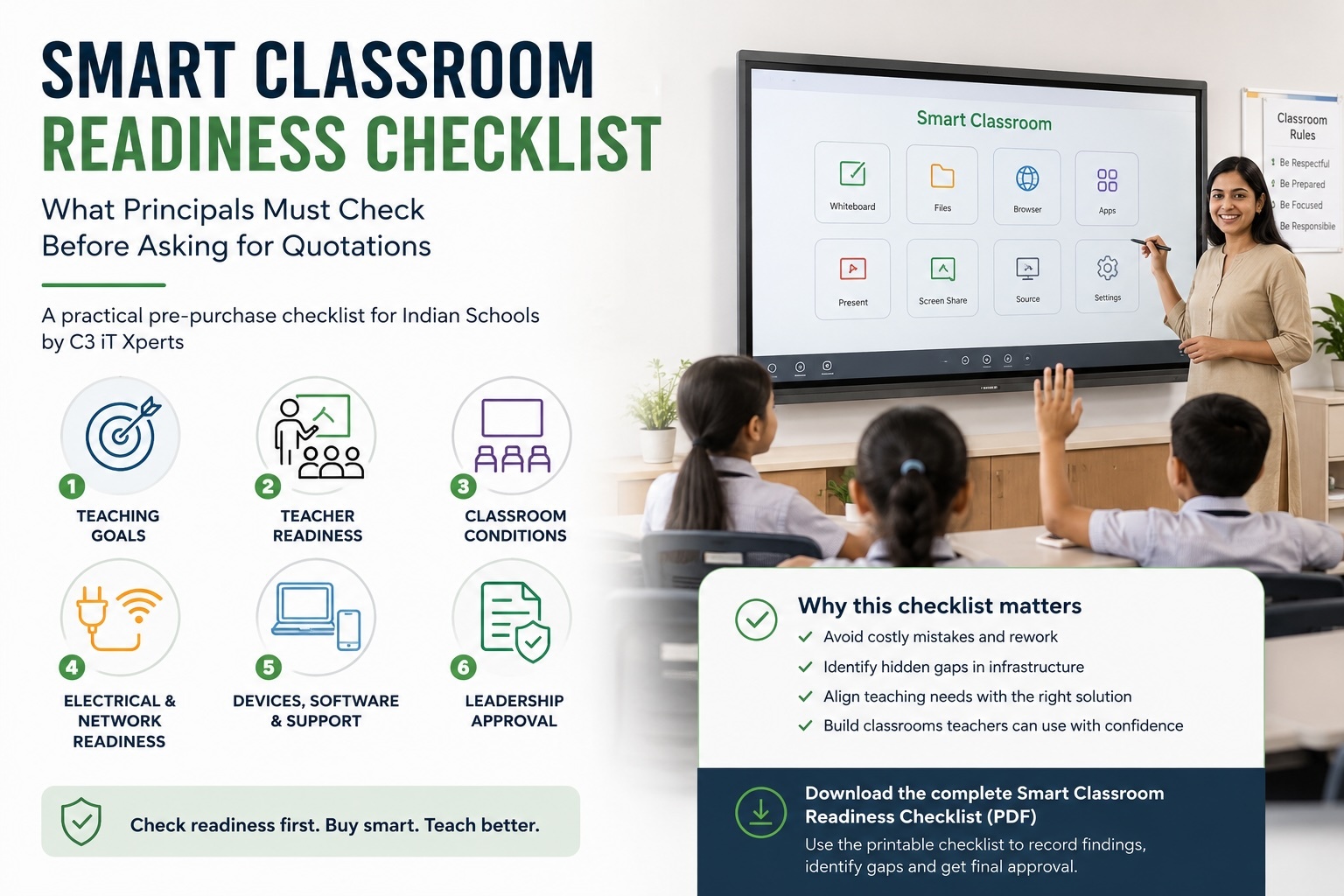
Quick Smart Classroom Readiness Checklist
Before asking for quotations, confirm that:
- The teaching goal is clear
- Teachers were involved before product selection
- Every classroom was checked
- Electrical safety is confirmed
- Wi-Fi was tested during school hours
- Existing devices are fit for daily use
- Software is licensed and supported
- Technical-support ownership is clear
- A maintenance plan exists
- The Principal and IT Head have approved the plan
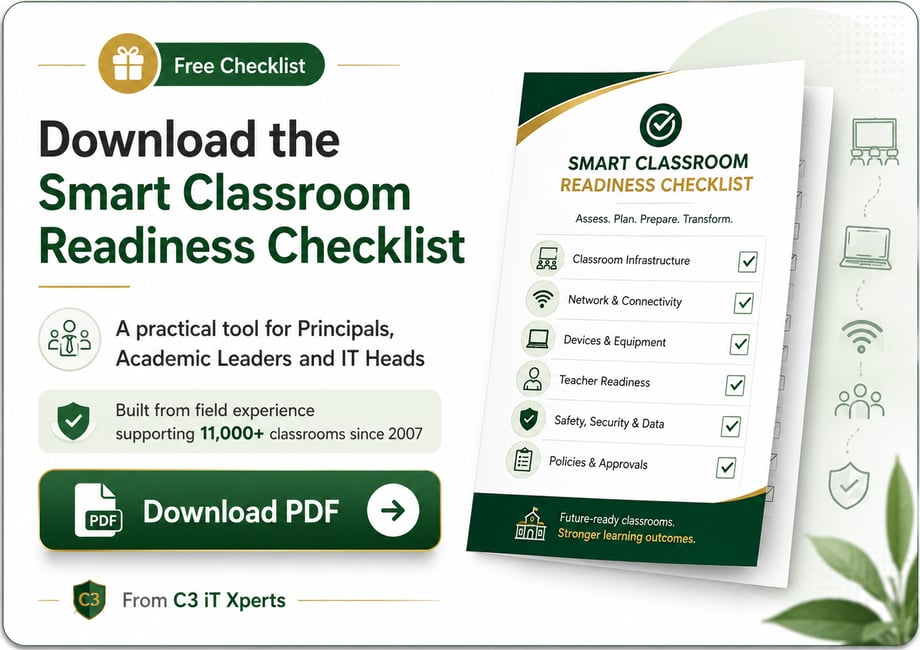
Click the image to open and download the free PDF checklist.
The Real Test of a Smart Classroom
A smart classroom should not be judged during a product demonstration.
It should be judged on a normal school day.
Can the teacher enter and begin the lesson?
Can familiar content be opened easily?
Can the teacher write and explain without breaking the lesson flow?
Can students participate?
Can a technical problem be resolved quickly?
That is the real test.
At C3 iT Xperts, we do not recommend technology only for what the product can do.
We look at what the school and its team are ready to do with it.
If technology breaks the teacher’s natural flow, the classroom has failed.
A smart classroom works when technology fades into the background, and good teaching becomes easier to see.
Before You Ask for Quotations
Before requesting prices, get a second view of your school’s readiness.
C3 iT Xperts can help you:
- Identify hidden infrastructure gaps
- Understand teacher workflows
- Review your existing proposal
- Align teaching needs with the right solution
- Reduce costly implementation mistakes
- Build a practical support and adoption plan
Request a Smart Classroom Readiness Review
About the Author

Manoj Sundaram
Founder @ C3 iT Xperts
I help K–12 leaders turn "dusty" classroom tech into a daily teaching habit. 18 years and 11,000 classrooms have taught me that the best tech is the tech that "disappears" into the teaching rhythm.
18+
Years Experience
11k+
Classrooms
40k+
Educators Impacted
Frequently Asked Questions
What is a smart classroom readiness checklist?
A smart classroom readiness checklist is a pre-purchase review that helps a school assess whether its teaching goals, teachers, classrooms, infrastructure, devices, software and support systems are ready before it invests in interactive classroom technology.
What should a school check before asking for smart classroom quotations?
A school should review six areas:
- Teaching purpose
- Teacher readiness
- Classroom conditions
- Electrical and network readiness
- Devices, software and support
- Leadership approval
Why should teachers be involved before a smart classroom is purchased?
Teachers understand how lessons actually run. Their input helps the school choose technology that fits teaching workflows, content use, student participation and daily classroom needs.
Teachers do not need to select technical specifications, but they must help define what the technology should enable.
What classroom, electrical and network conditions should be checked?
The school should assess:
- Room size and seating layout
- Viewing distance
- Light and glare
- Wall strength and mounting height
- Safe earthing and electrical load
- Power points and cable paths
- Wi-Fi strength and network capacity
- Performance during normal school hours
What devices, software and support should be reviewed?
The school should review classroom computers, teacher devices and connected tools for performance, compatibility, operating-system support and expected life.
Software should be licensed and updated. The school should also know who manages accounts, updates, warranties, repairs and classroom support.
When should a smart classroom installation be postponed?
Installation should be postponed when serious gaps remain in:
- Electrical or mounting safety
- Network reliability
- Teaching purpose
- Teacher involvement
- Device compatibility
- Software licensing
- Technical support
- Maintenance planning
Who should approve the final smart classroom readiness report?
The final report should be approved jointly by the Principal and the IT Head.
The Principal confirms academic purpose, teacher involvement and training readiness. The IT Head confirms infrastructure, devices, software, security, support and maintenance readiness.
- Edtech consulting,
- Indian School Leadership,
- K-12 Education Technology,
- Smart Classroom Planning,
- Smart Classroom Readiness